
An SSL certificate enables HTTPS and encrypts communication between your website and its visitors. In cPanel, certificates are automatically issued and renewed using AutoSSL (Let’s Encrypt).

Enabling SSL in cPanel
1. Log in to your cPanel account
(e.g.: yourdomain.com/cpanel or cpanel.yourdomain.com)
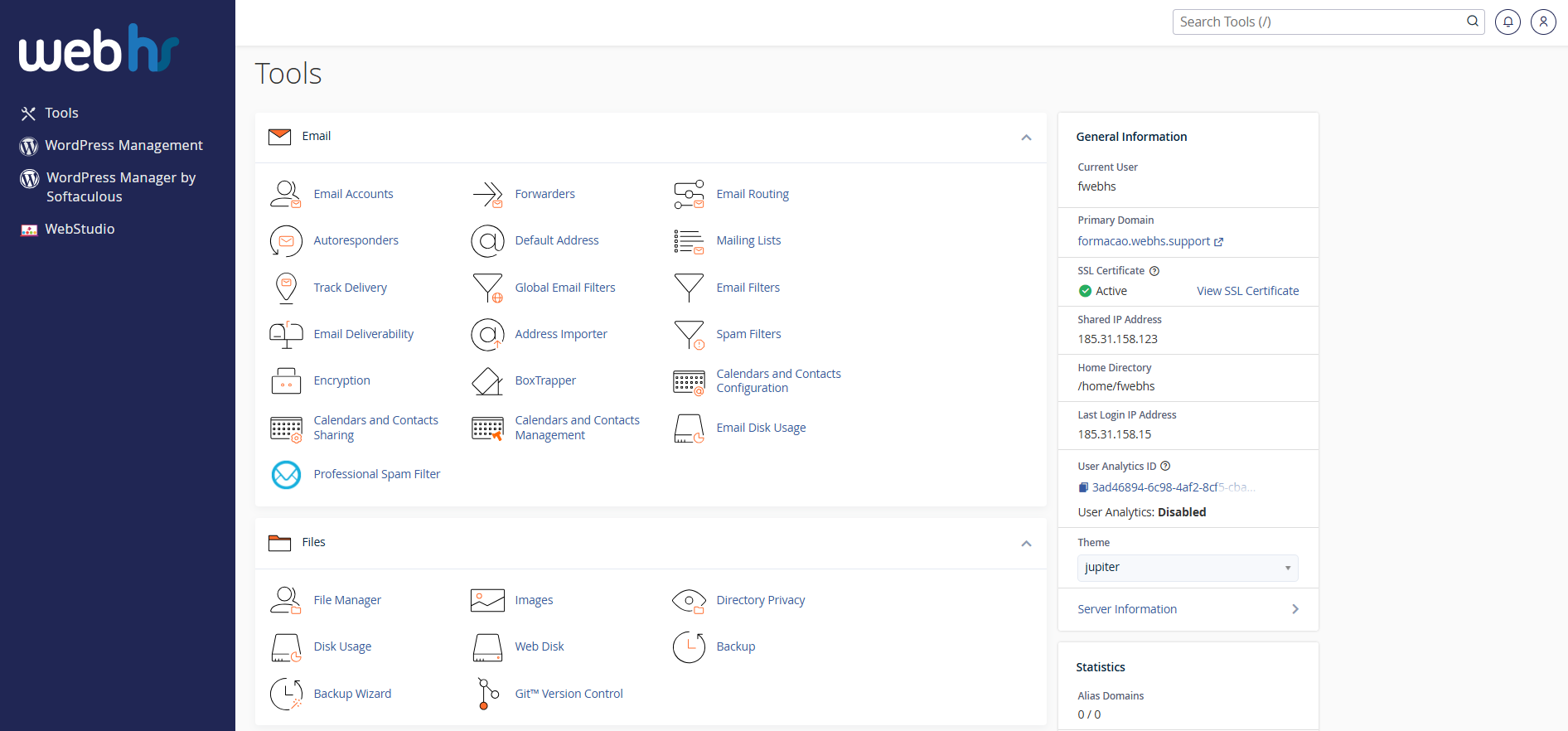
cPanel overview
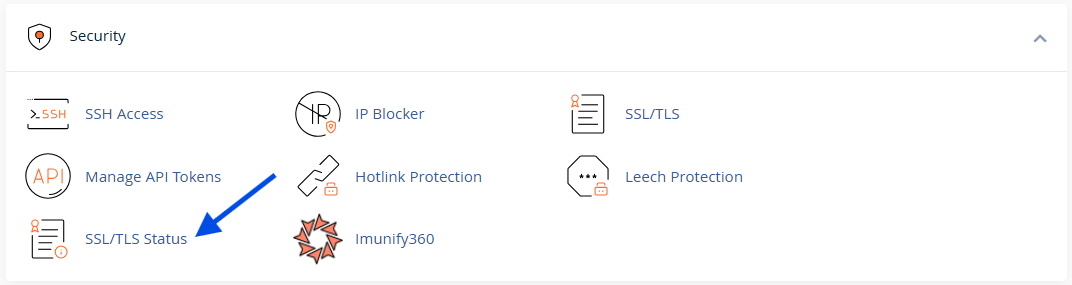
2. Click SSL/TLS Status
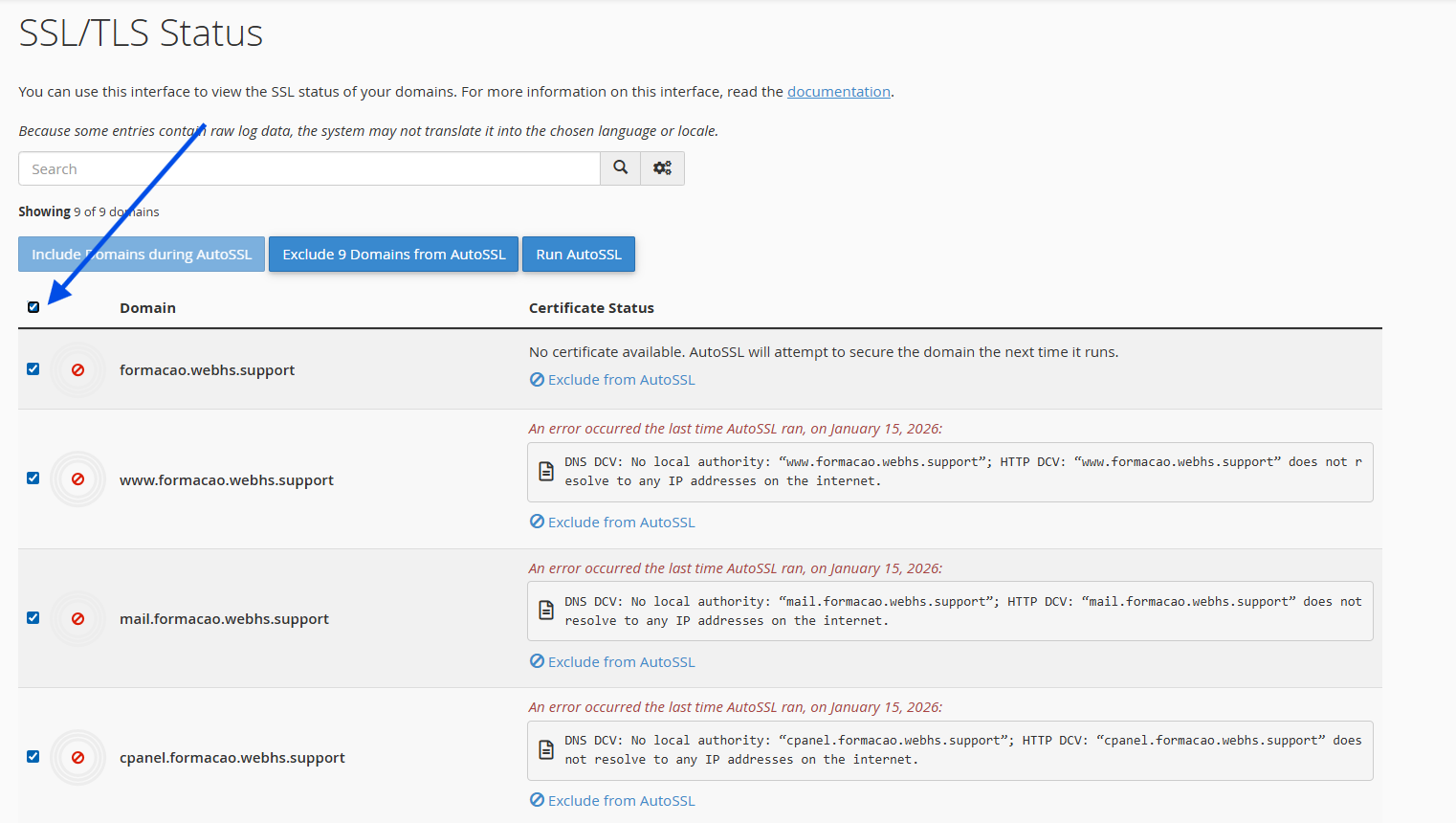
3. Select the domain where you would like to enable SSL.
(If you wish to enable SSL for all domains and subdomains, simply select all entries.)
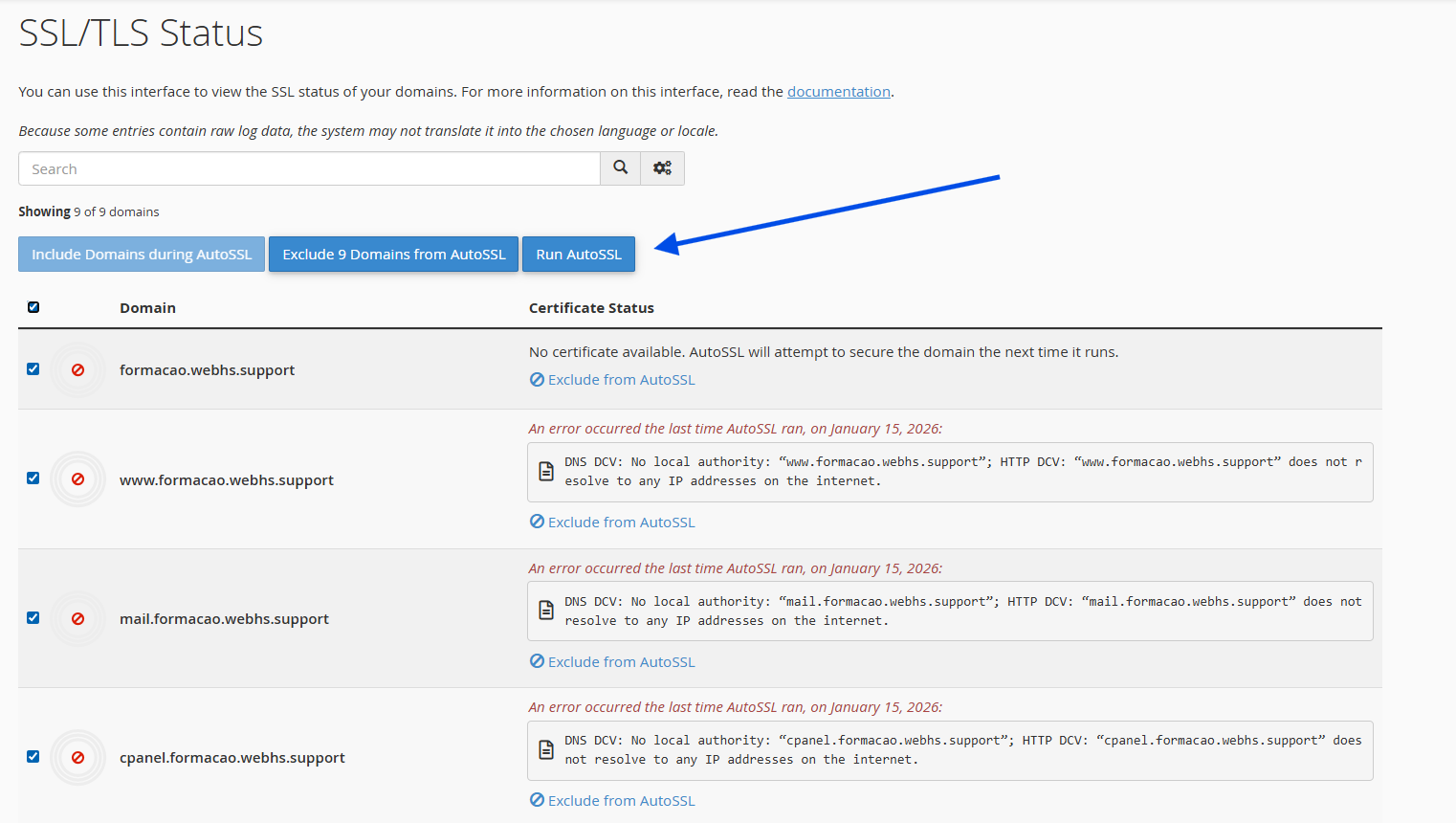
4. Click Run AutoSSL
5. The SSL certificate will be installed automatically.
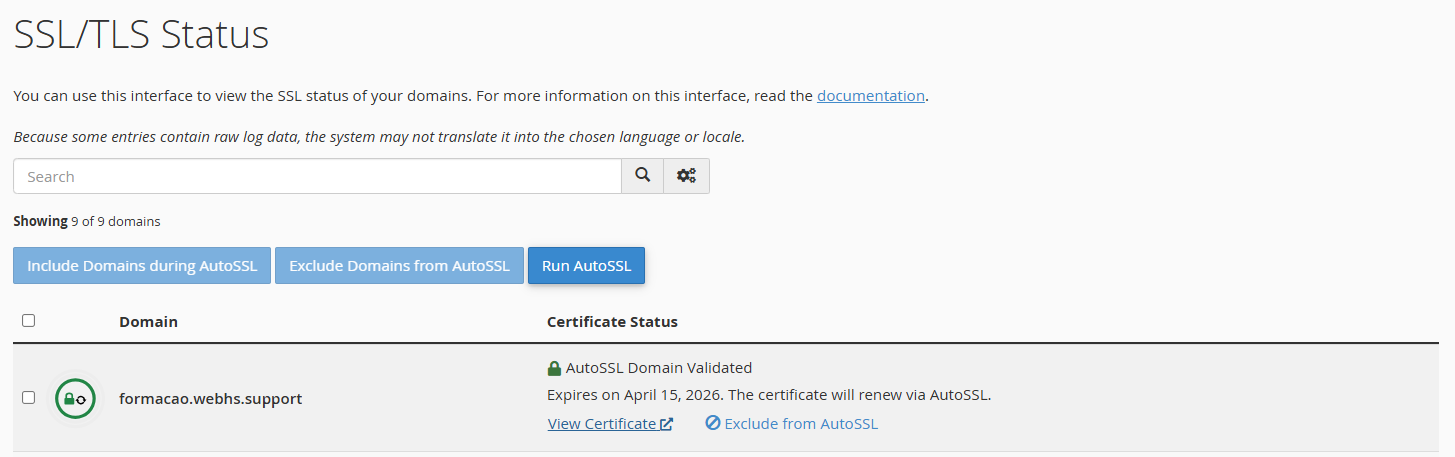
The process may take a few minutes to complete.
 How to check if SSL is enabled
After activation:
- Access your website using https://
- Verify that the ?lock icon appears in your browser

Important Notes
- The domain must resolve to this hosting account through valid nameserver or DNS configuration;
- The free SSL certificate renews automatically every 90 days;
- Subdomains may also be covered by AutoSSL.