
PHP extensions provides additional features to your website and are often required for applications such as WordPress, Joomla, or PrestaShop in order to work properly.
1. Log in to your cPanel account
(e.g.: yourdomain.com/cpanel or cpanel.yourdomain.com)
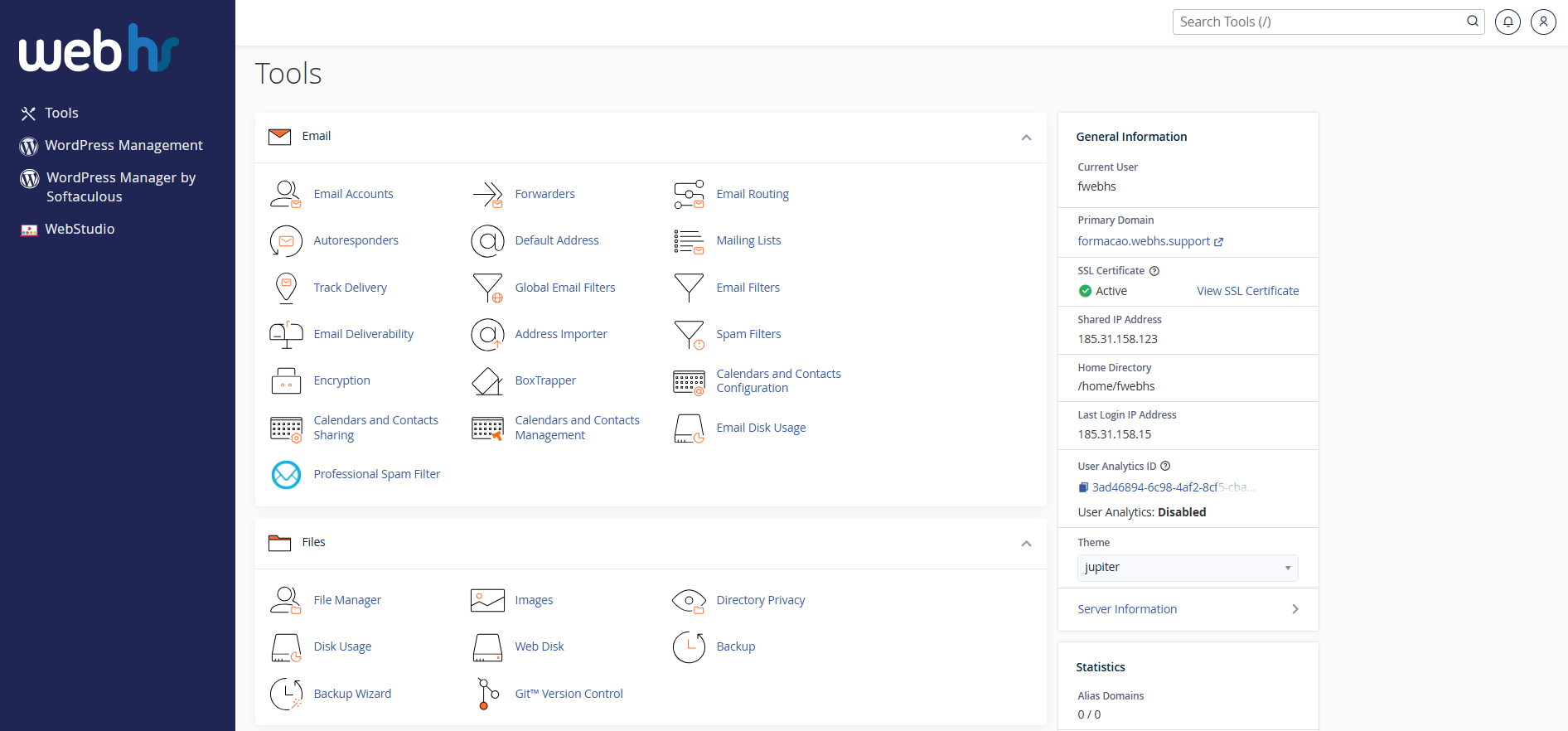 cPanel overview
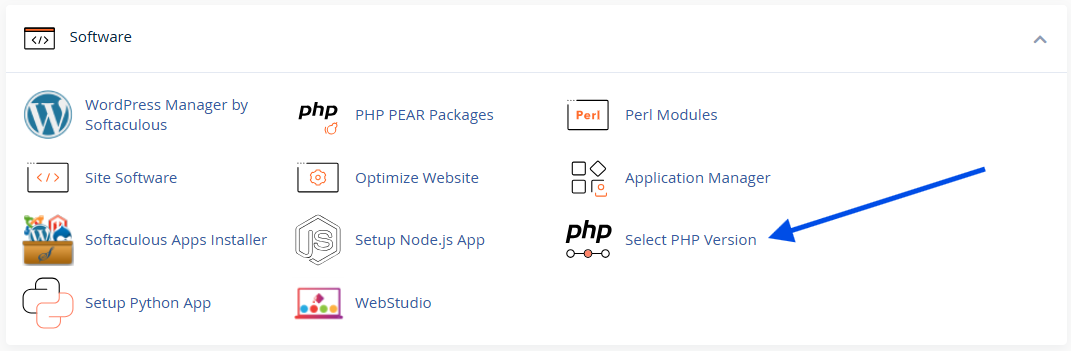
2. Click on Select PHP Version
3. Check the extensions you wish to enable
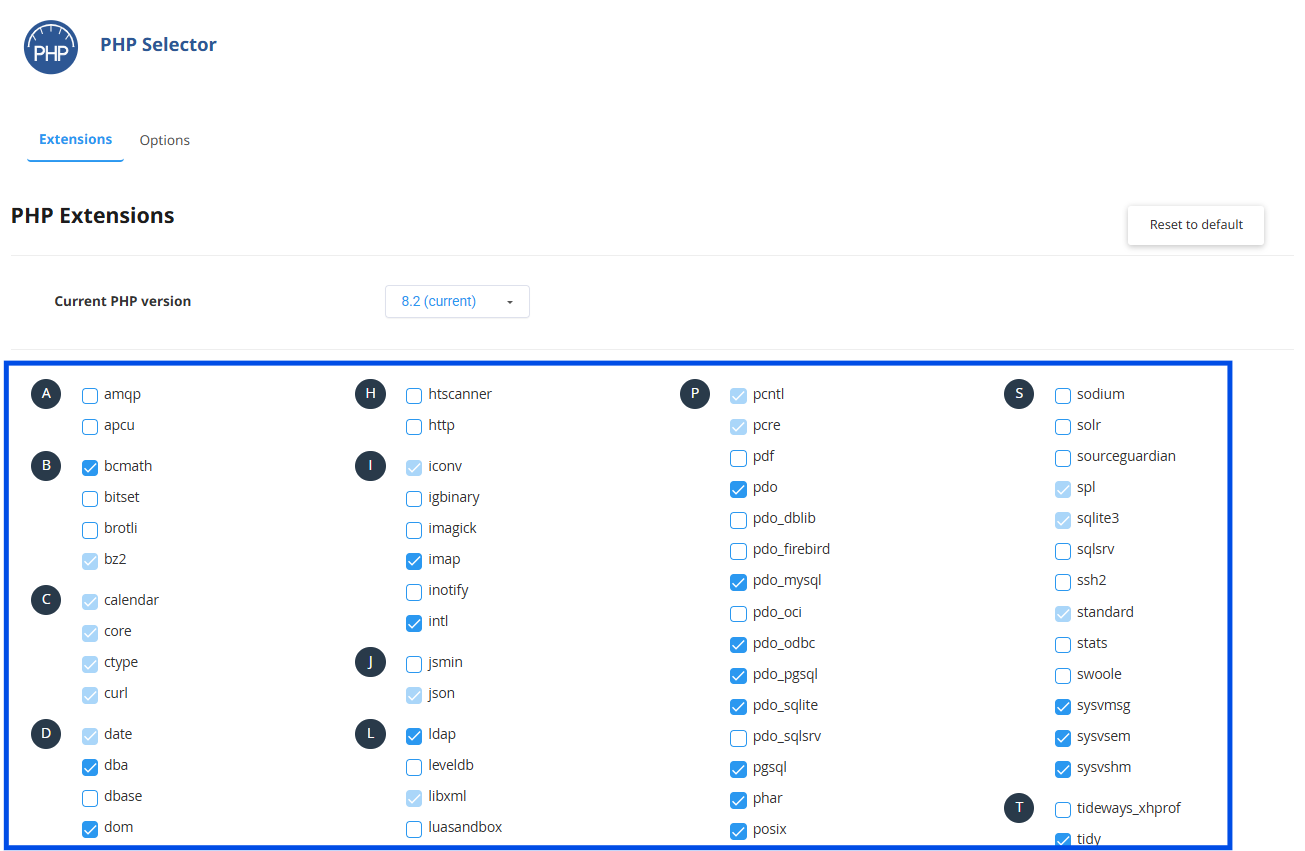
⚙️ The changes take effect immediately.
Important Notes
- Not all extensions are available on all hosting plans for security reasons;
- Some extensions are enabled by default;
- If you cannot find a specific extension, please submit a support ticket.