
An automatic reply (autoresponder) allows an email to be sent automatically whenever someone sends a message to a specific email account. It is ideal for vacation periods, receipt confirmations, or out-of-office responses.
1. Log in to your cPanel account
(e.g.: yourdomain.com/cpanel or cpanel.yourdomain.com)
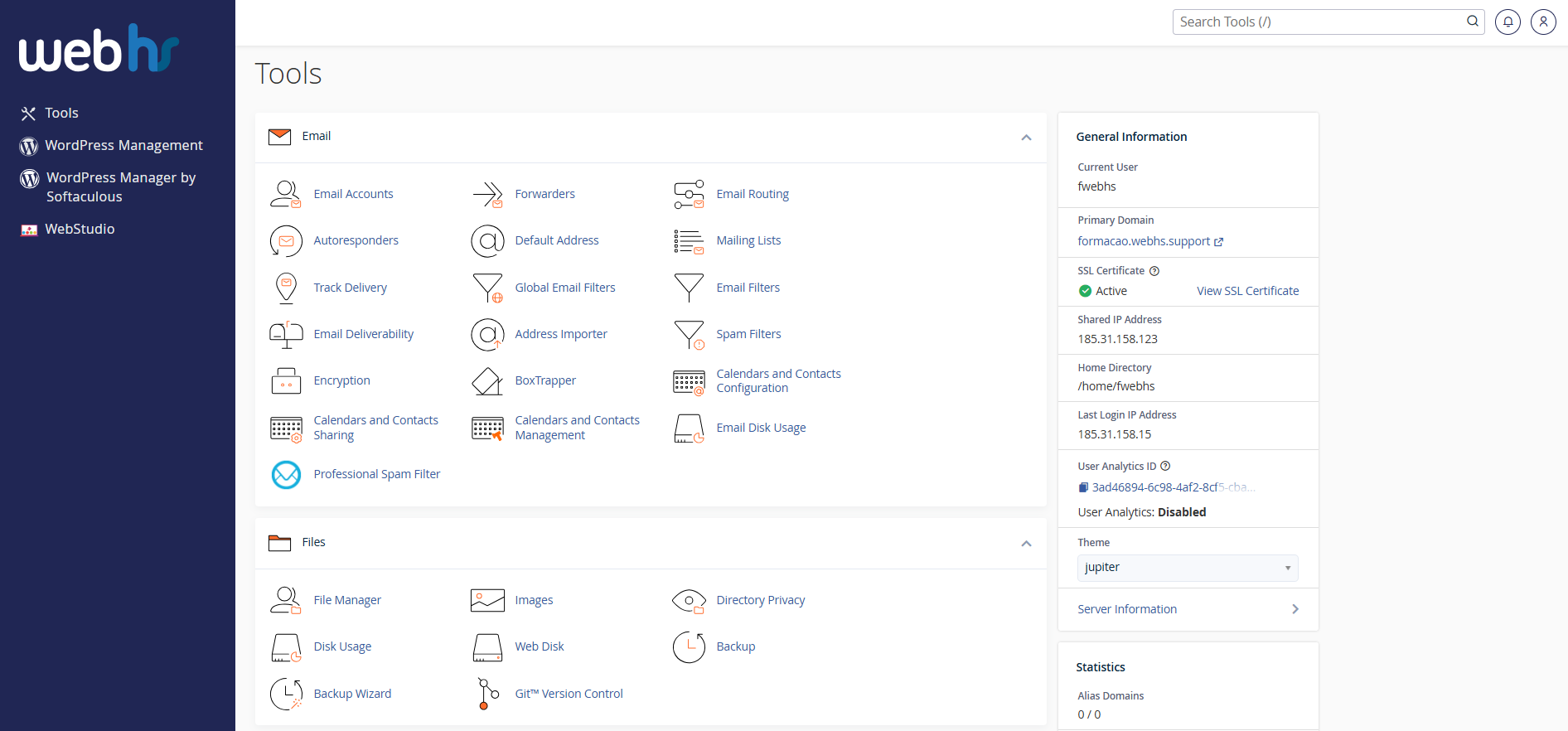
cPanel overview
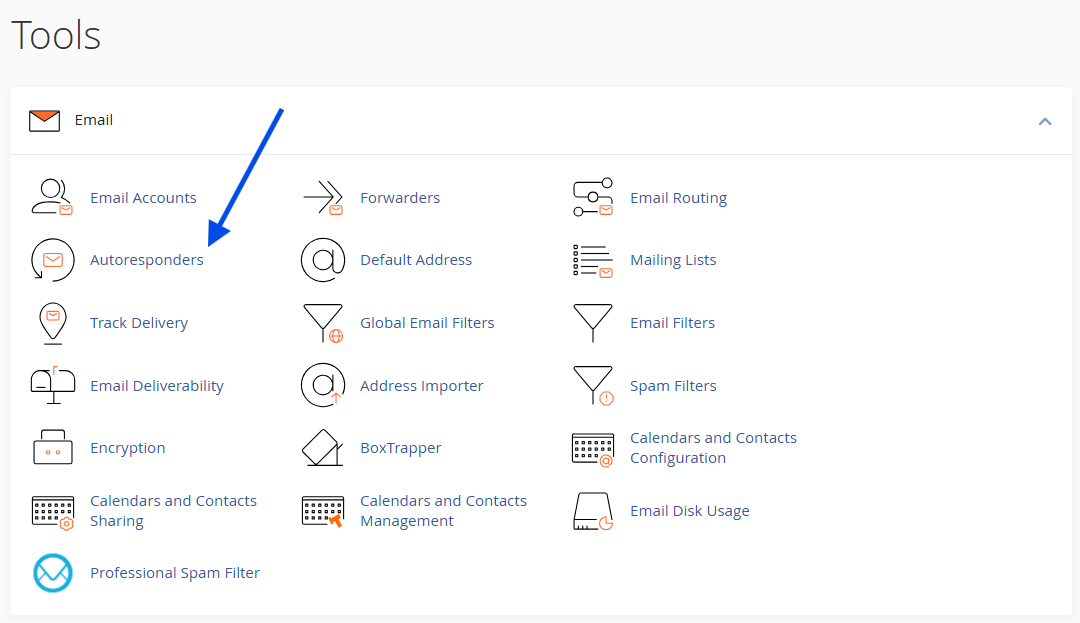
2. Click on Autoresponders
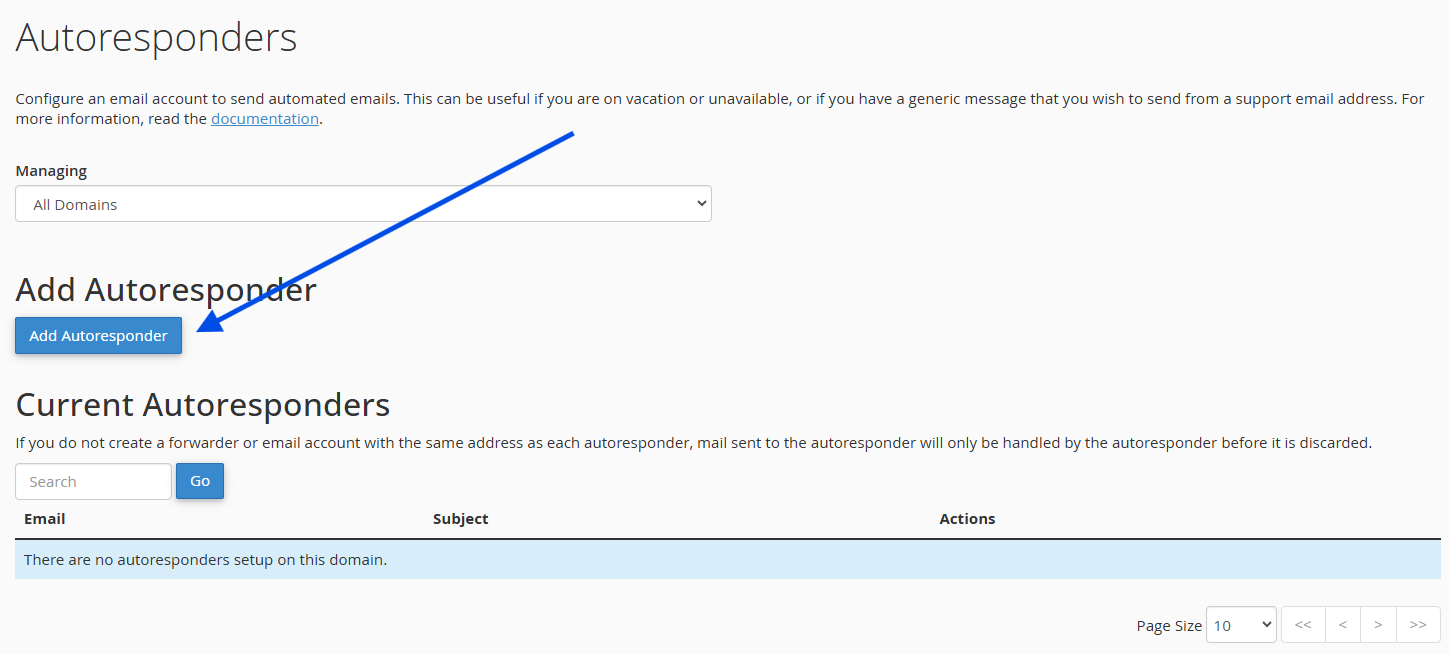
3. Click on Add Autoresponder
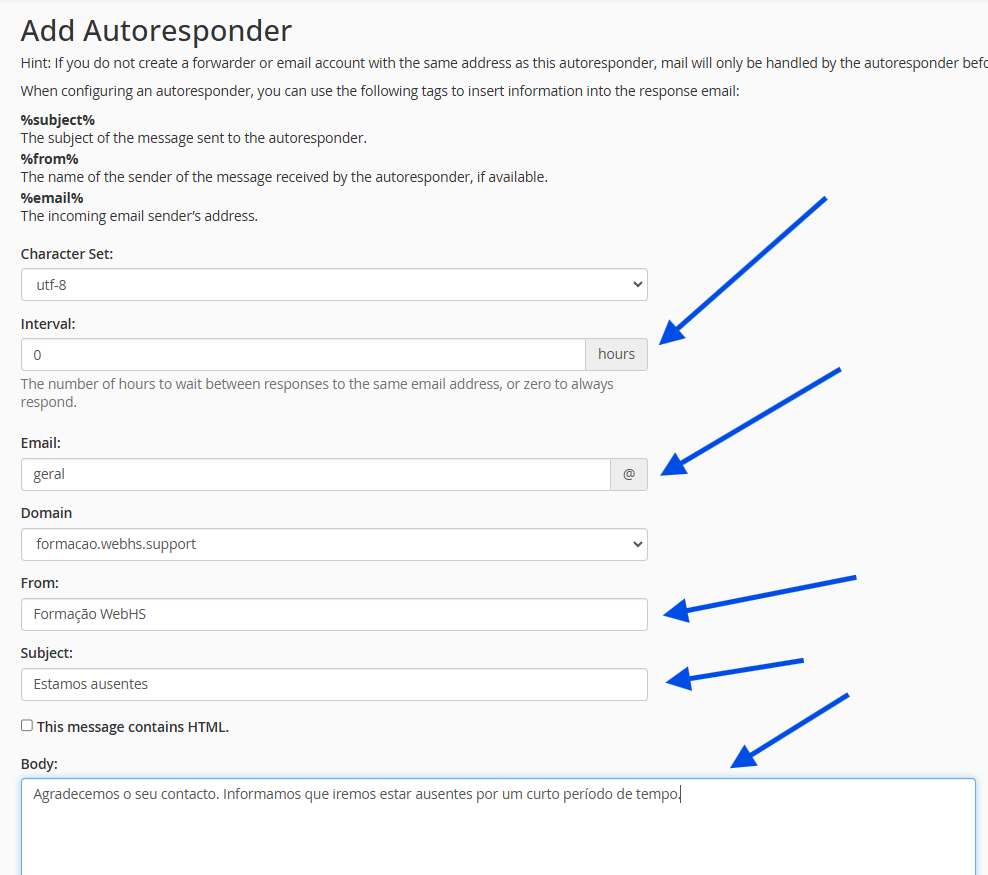
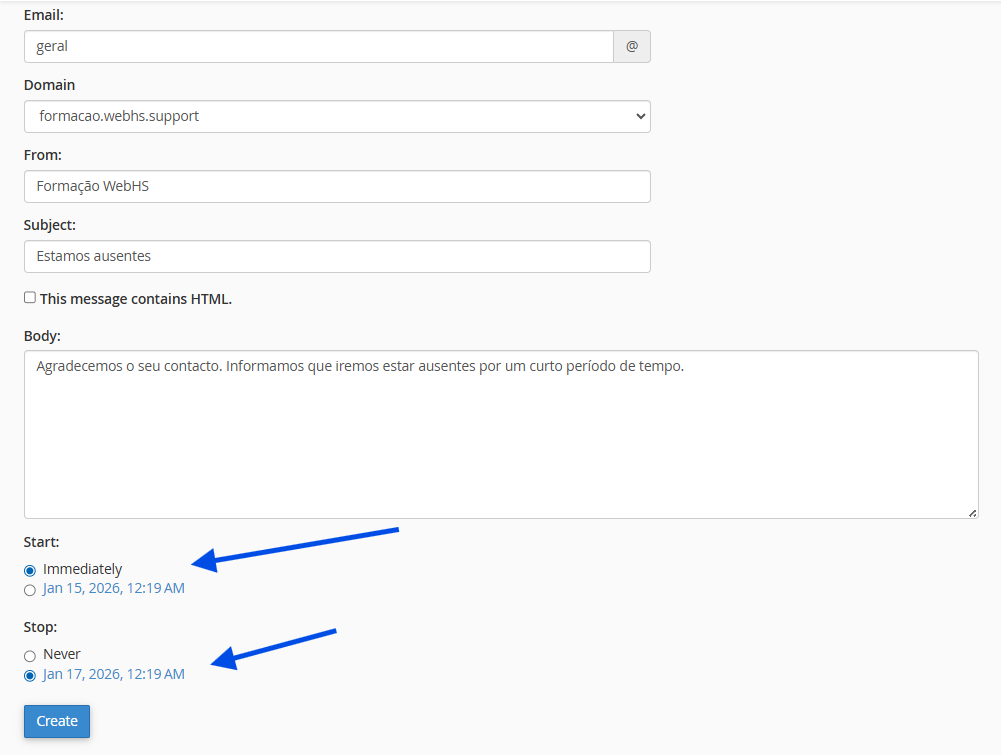
4. Complete the following fields:
- Interval: To enable immediate delivery, set this value to 0.
- Email: Select the desired email account.
- From: Sender name (e.g., Support).
- Subject: Subject of the automatic reply.
- Body: Enter the content of the automatic response.
(Optional) Define a start and end date using the Start and Stop options.
5. Click Create.
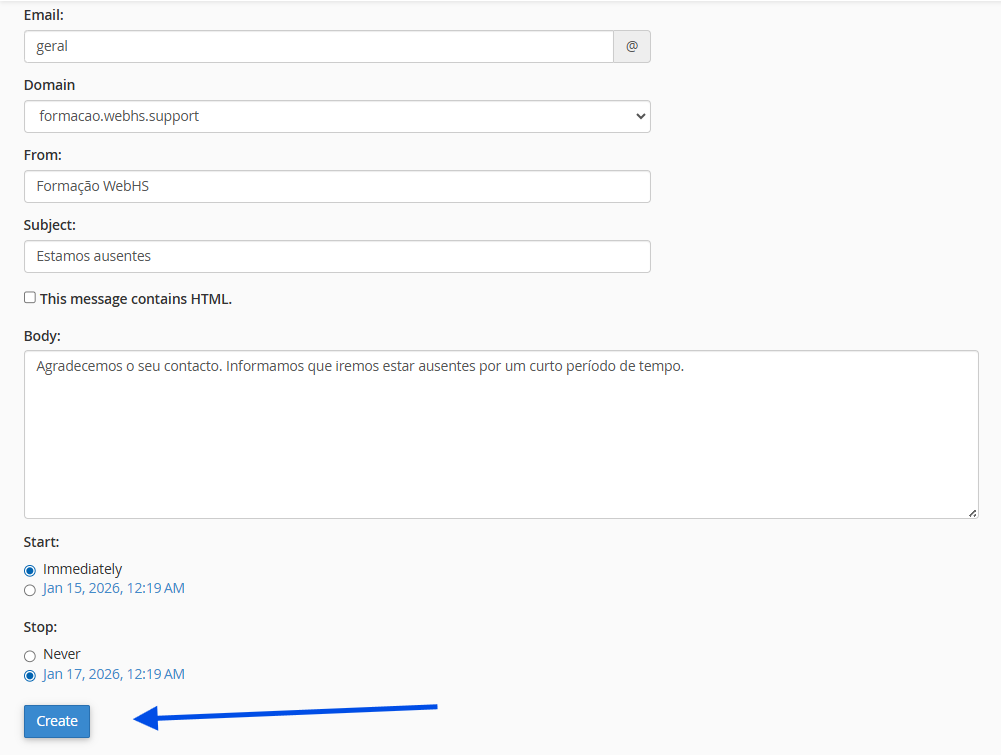
The automatic reply is activated immediately.

Helpful Tip
If you are using the automatic reply for vacation purposes:
- Clearly specify your return date;
- Provide an alternative contact, if possible;