
1. Log in to your cPanel account
(e.g.: yourdomain.com/cpanel or cpanel.yourdomain.com)
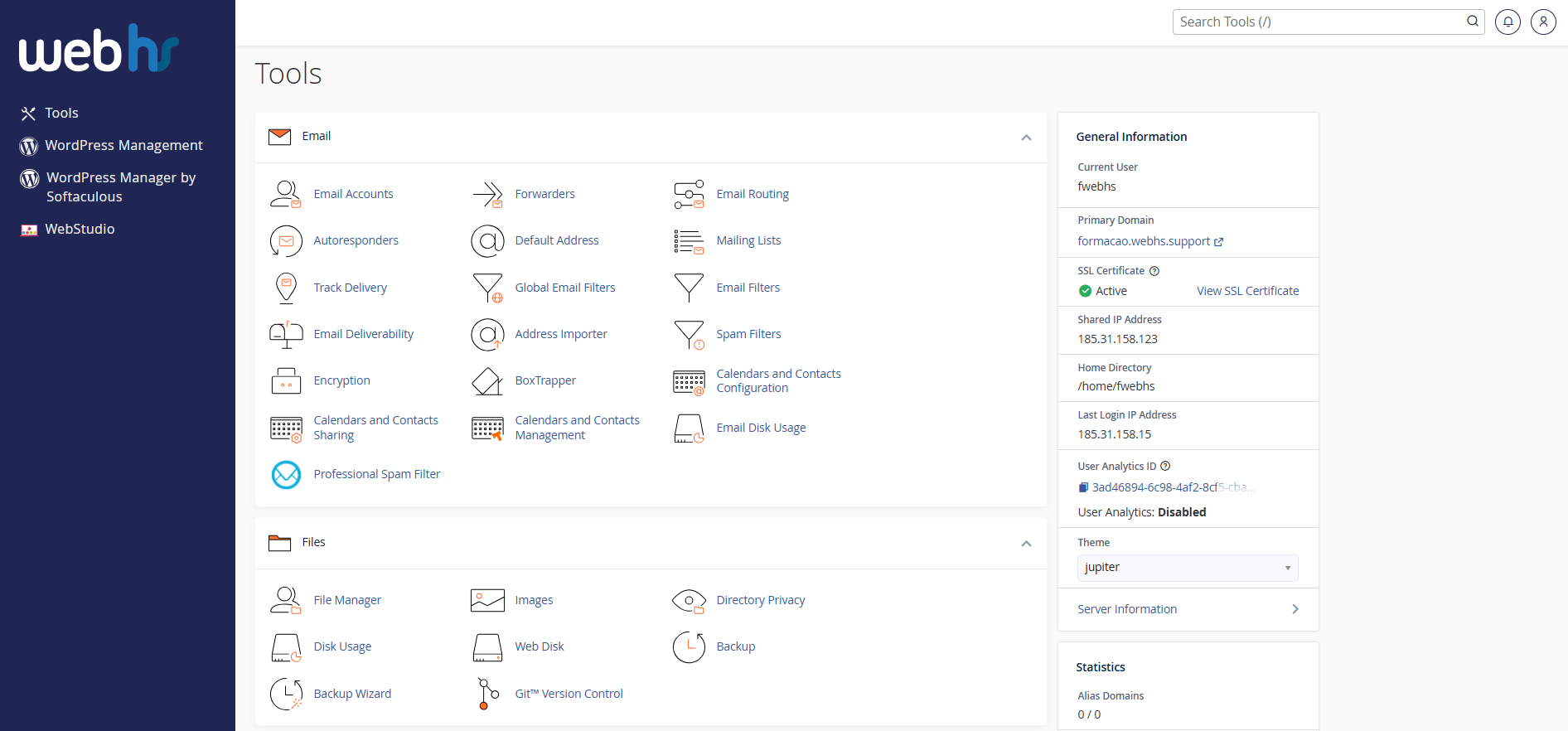
cPanel overview
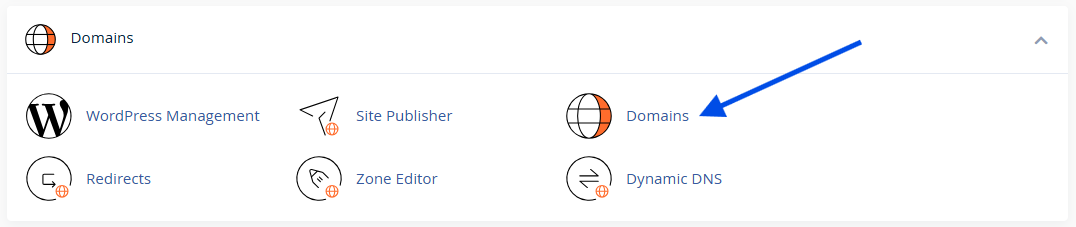
2. Click on Domains
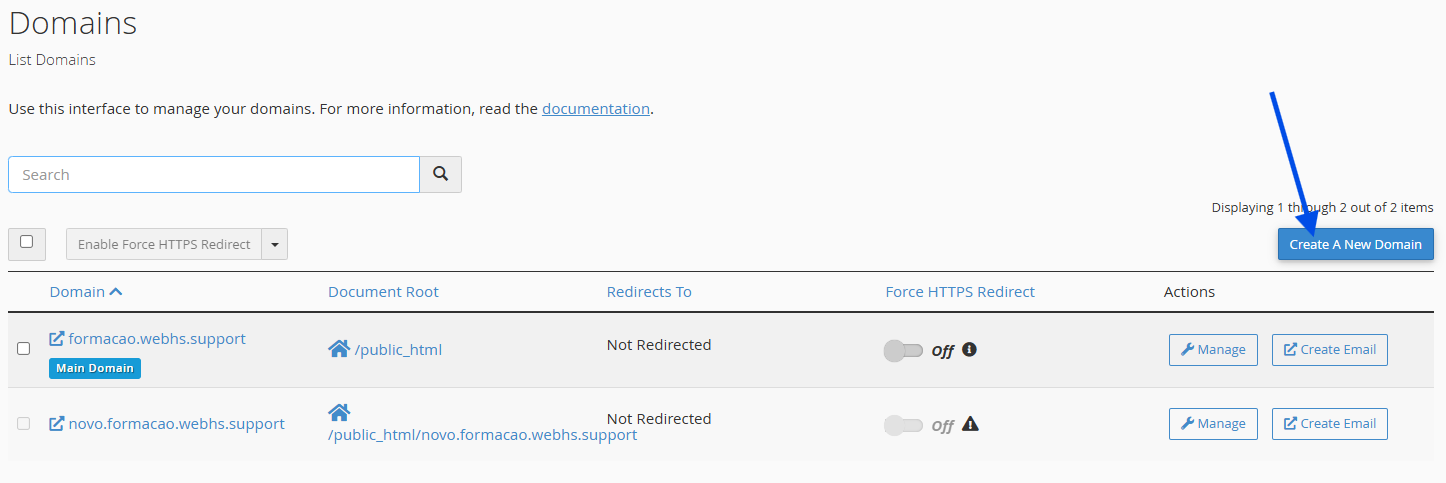
3. Click on Create a New Domain
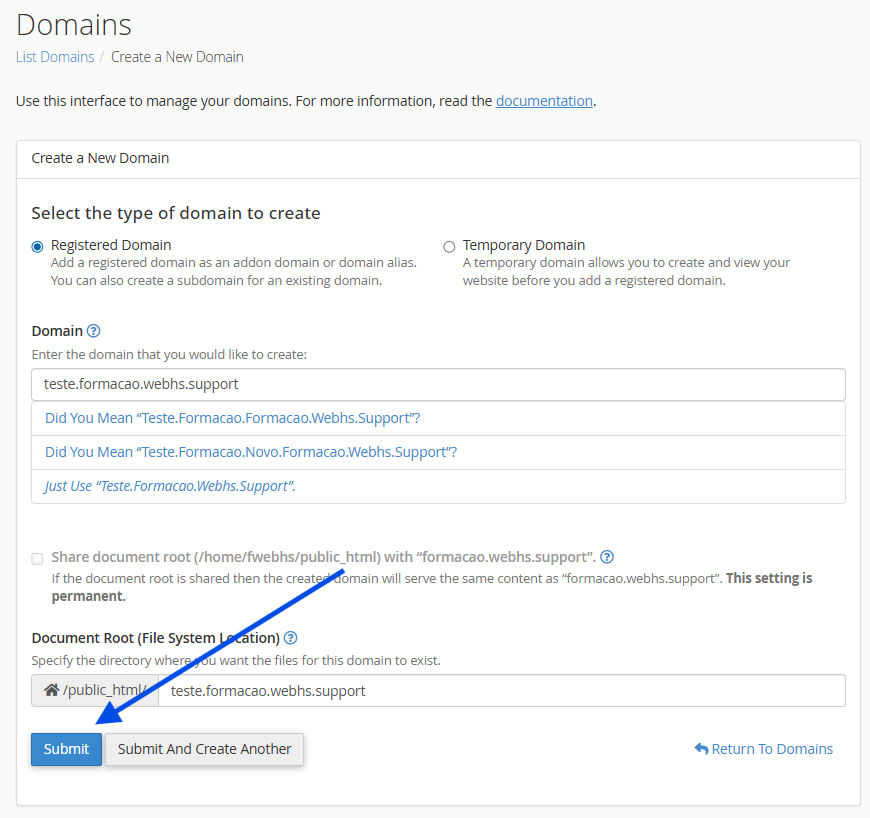
4. Enter the subdomain name
- Example: blog.yourdomain.com
- Check the destination folder (Document Root) (e.g., public_html/blog)
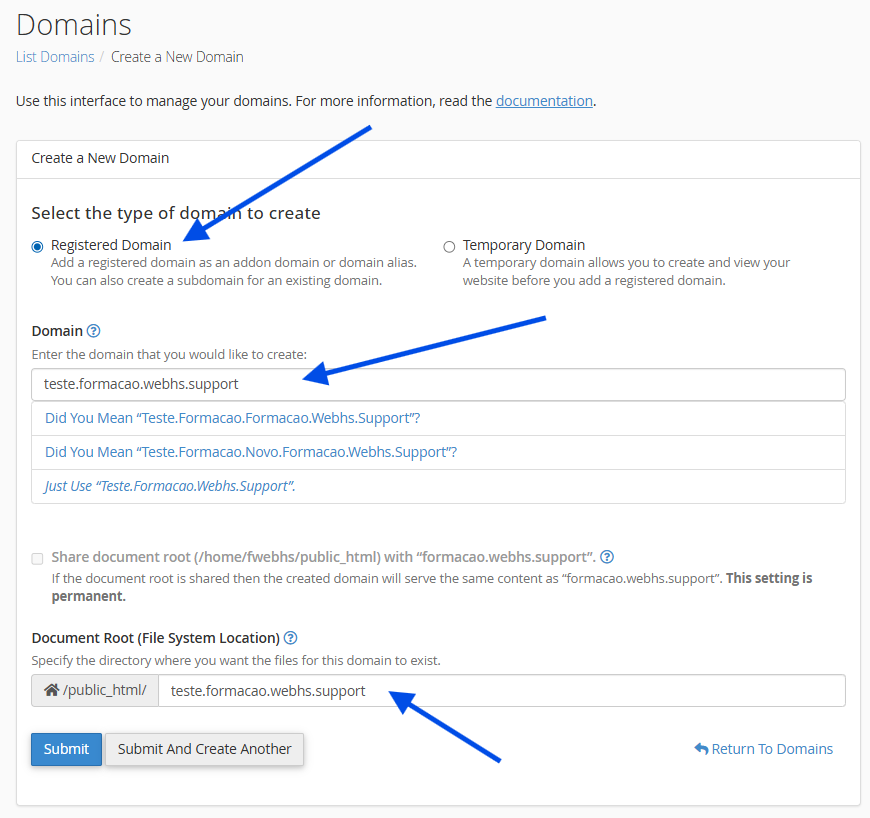
5. Click on Submit

Important Tips
- The main domain must already exist in cPanel
- Do not delete the subdomain folder after creation
- You can create multiple subdomains for the same domain