
cPanel allows you to authorize external IP addresses to connect to your MySQL databases, for example from an external application or another server.
 Important Security Recommendations
- Allowing remote MySQL access can pose a security risk if not properly configured
- Only authorize trusted IP addresses
- Remove access that is no longer required
How to Authorize Remote Access
1. Log in to your cPanel account
(e.g.: yourdomain.com/cpanel or cpanel.yourdomain.com)
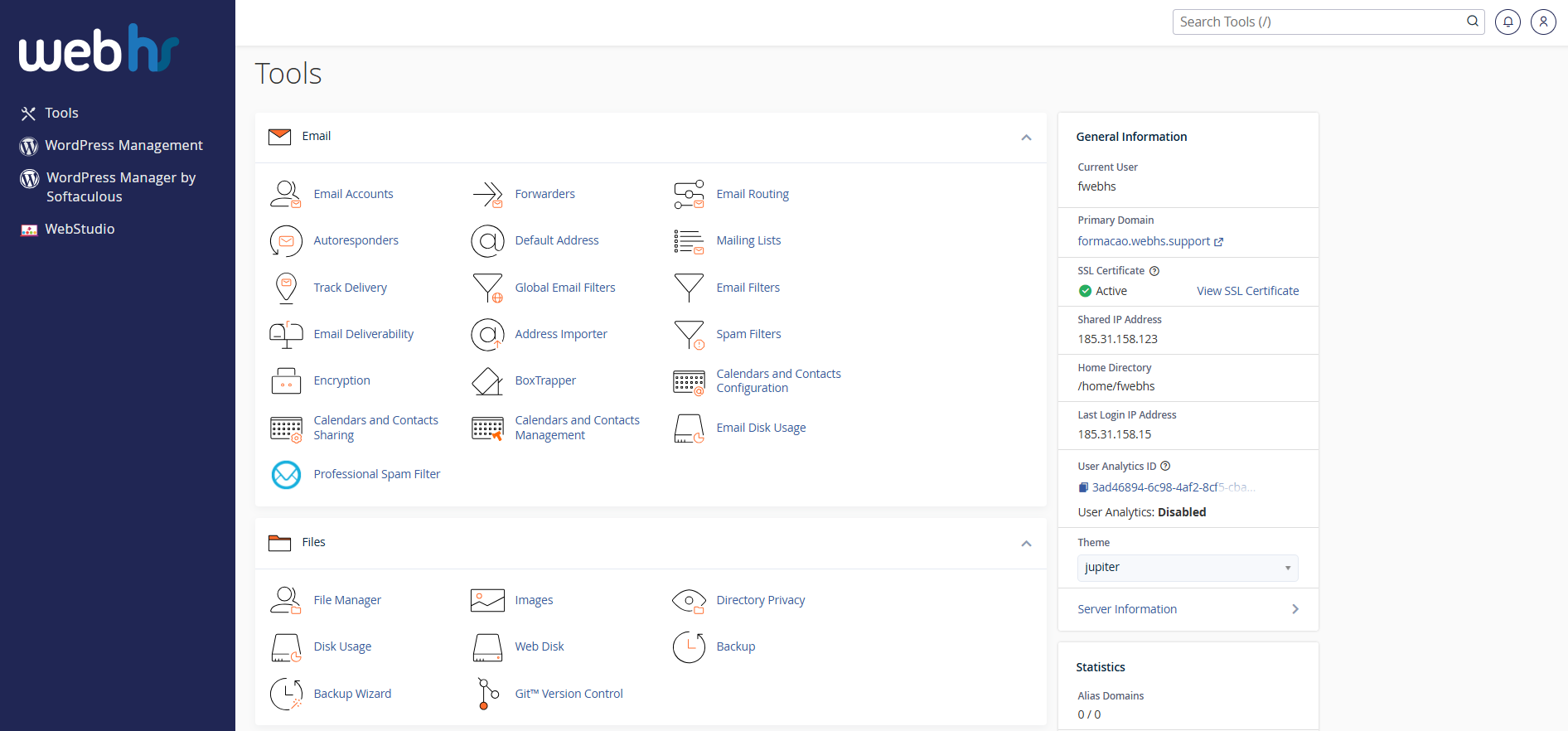
cPanel overview
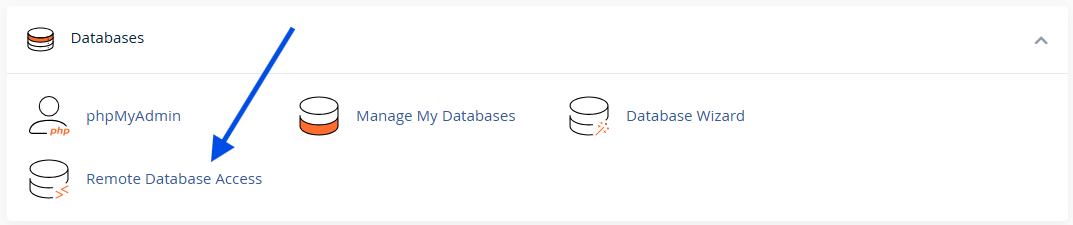
2. From the main dashboard, click Remote Database Access
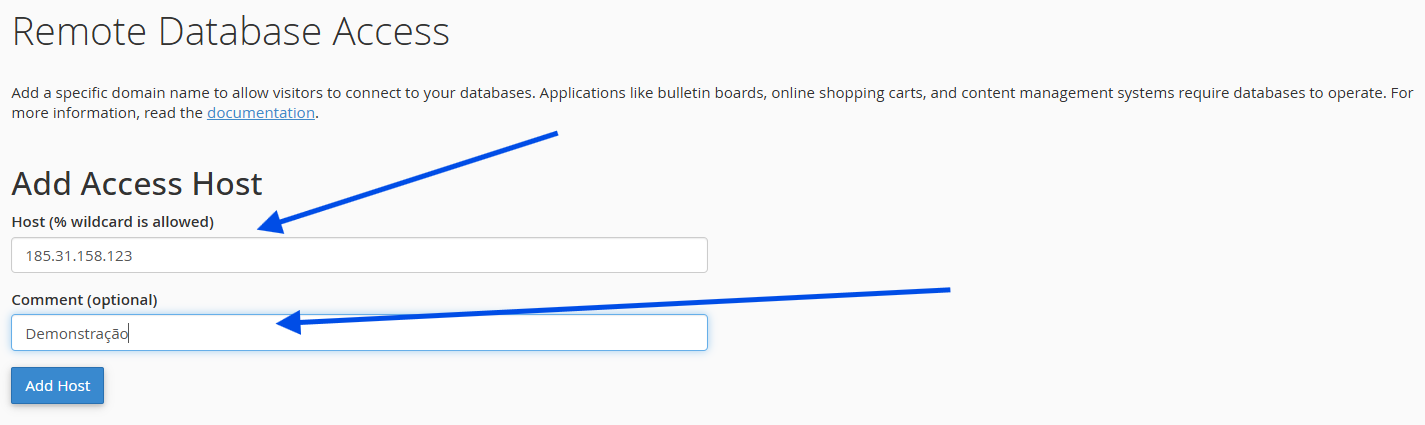
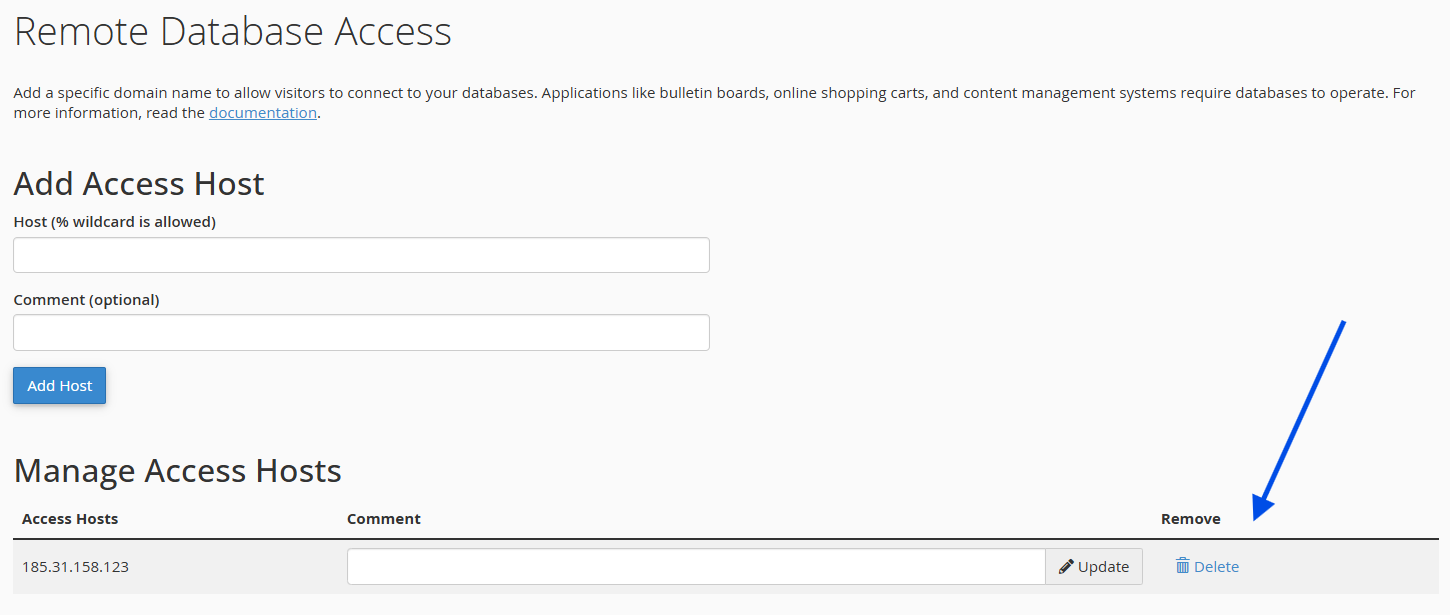
3. In the Host field, enter:
- The IP address, or
- The domain name of the external server
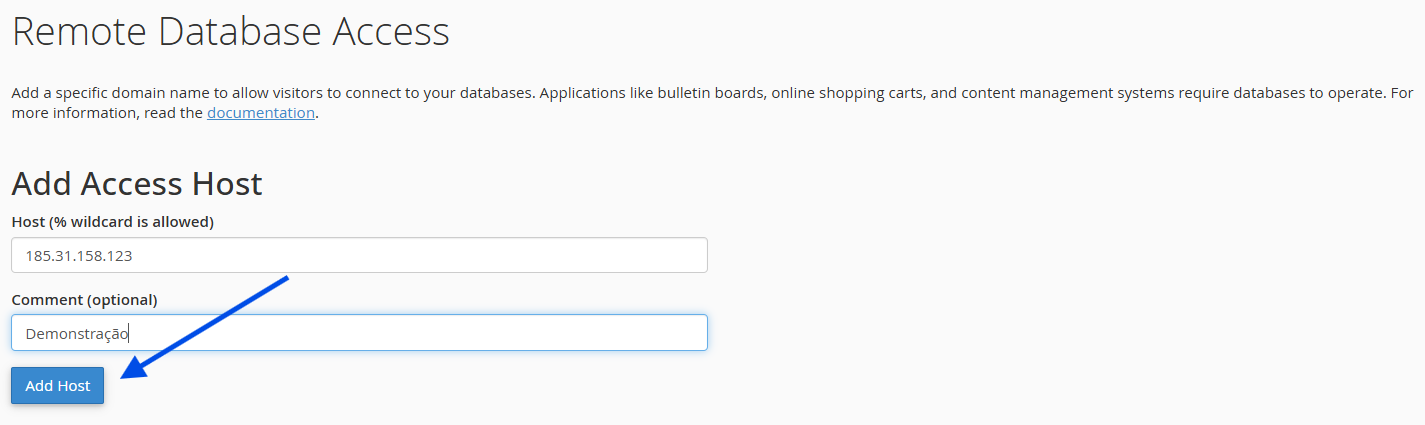
4. Click Add Host
 Accessing the Database Remotely
Once the host is authorized:
- You can connect to the database using a MySQL client
- Database credentials remain unchanged
 How to Remove Remote Access
If remote access is no longer needed:
1. Log in to your cPanel account
(e.g.: yourdomain.com/cpanel or cpanel.yourdomain.com)
cPanel overview
2. From the main dashboard, click Remote Database Access
3. Under Manage Access Hosts, click Delete next to the desired host
 Important Notes
- Any external application using a MySQL connection must have its IP authorized
- Even local connections (127.0.0.1) must be explicitly added
- Never authorize unknown or public IPs without proper control