
Duplicating a website means creating an exact copy of your WordPress site on another domain or subdomain.
This is useful for testing, making changes, or creating a staging/development version of your site.
1. Log in to your cPanel account
(e.g.: yourdomain.com/cpanel or cpanel.yourdomain.com)
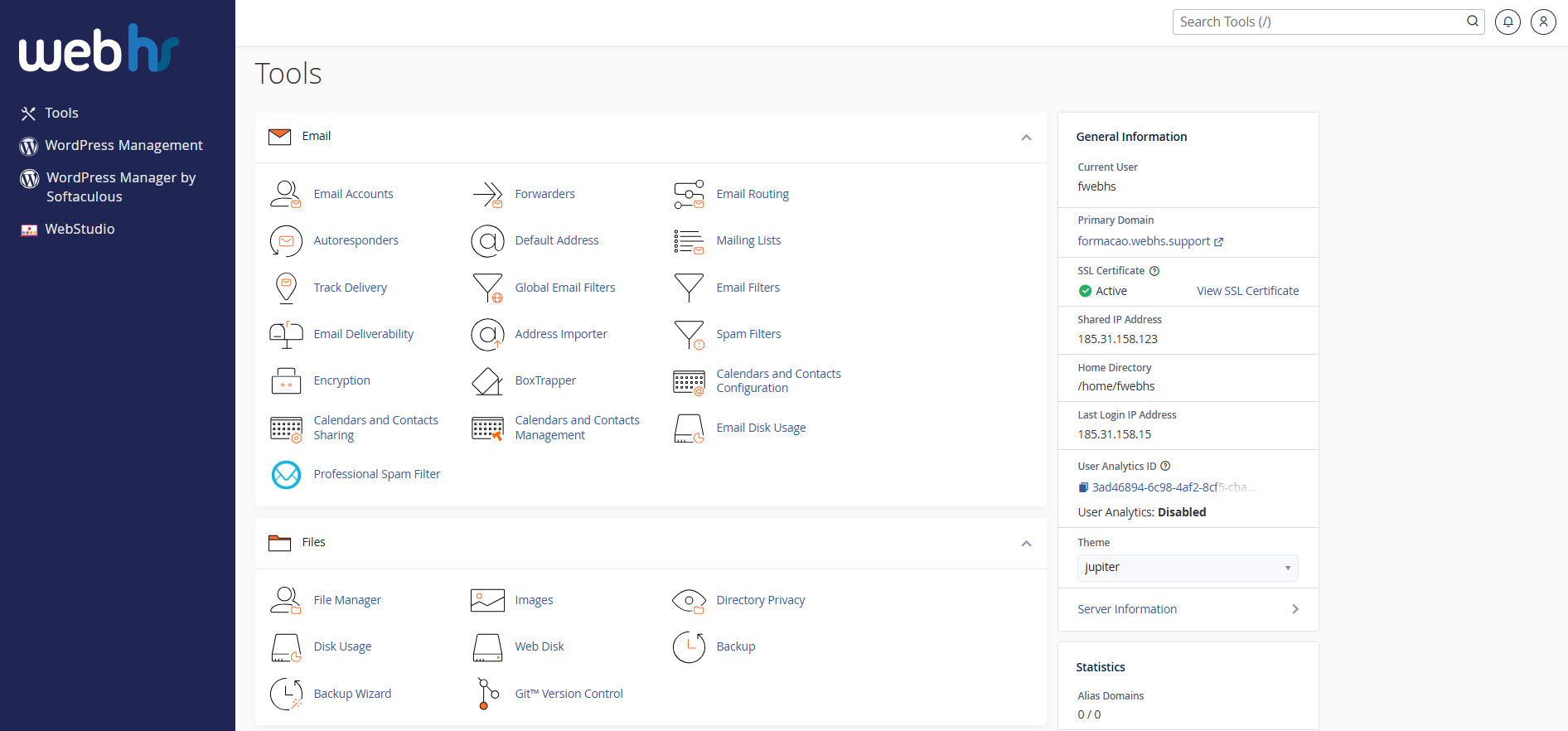
cPanel overview
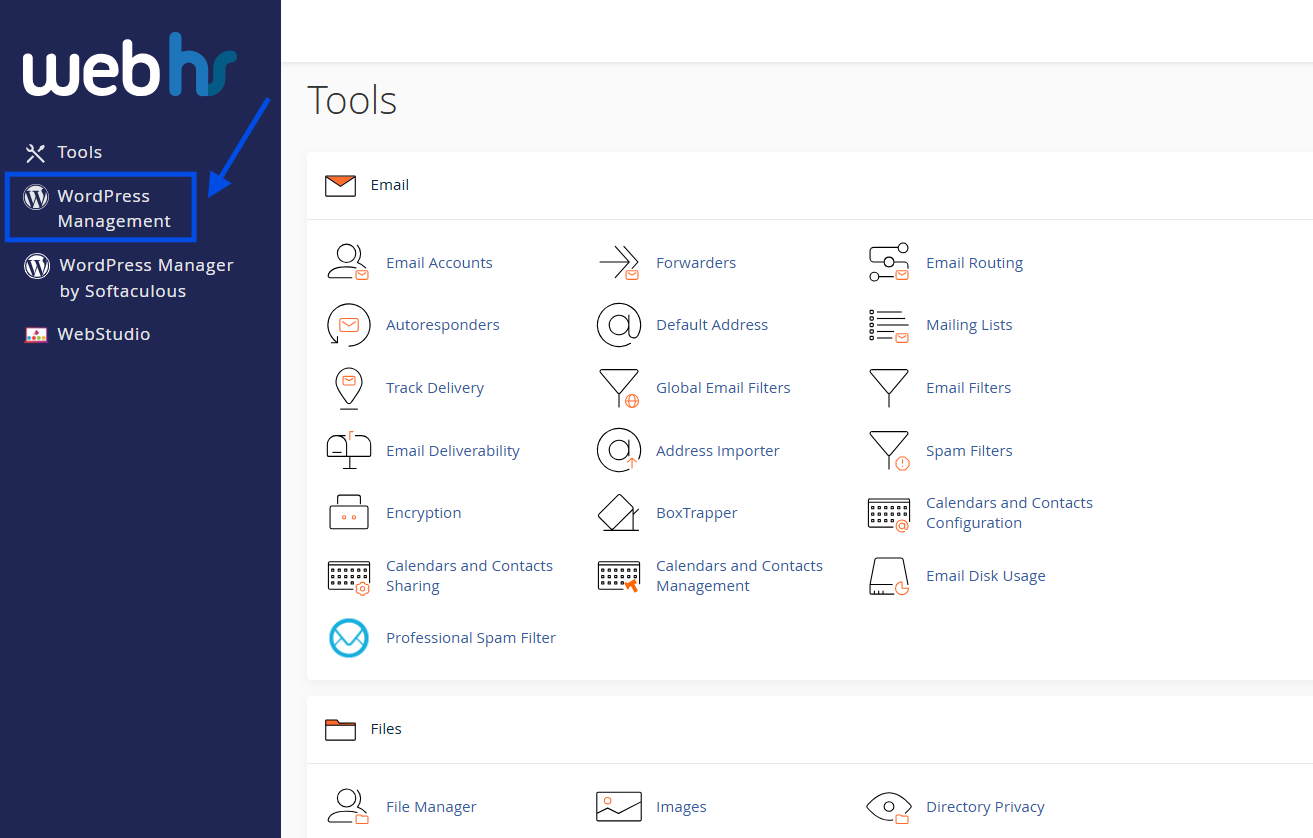
2. From the main dashboard, click WordPress Management
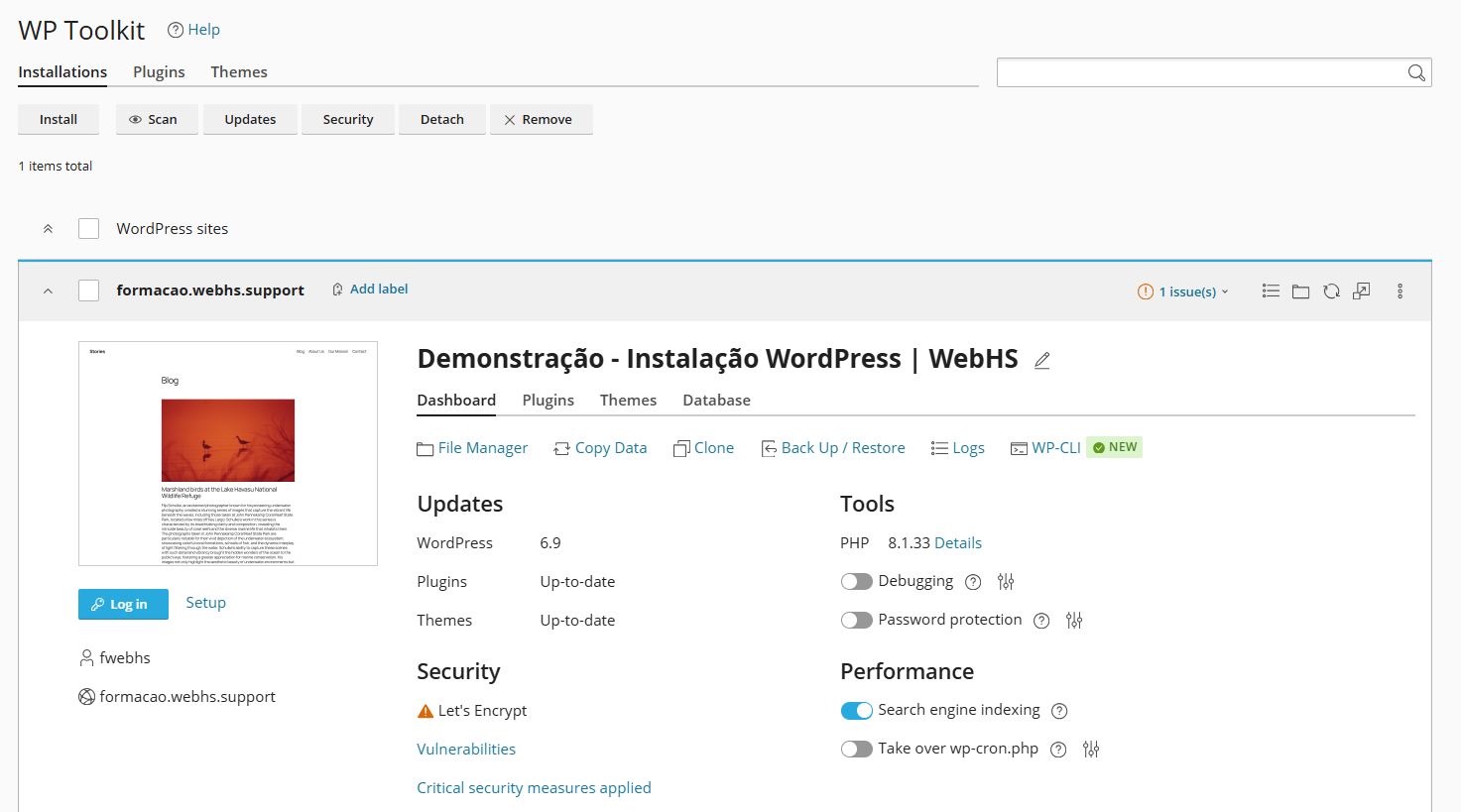
3. Locate the website you want to duplicate
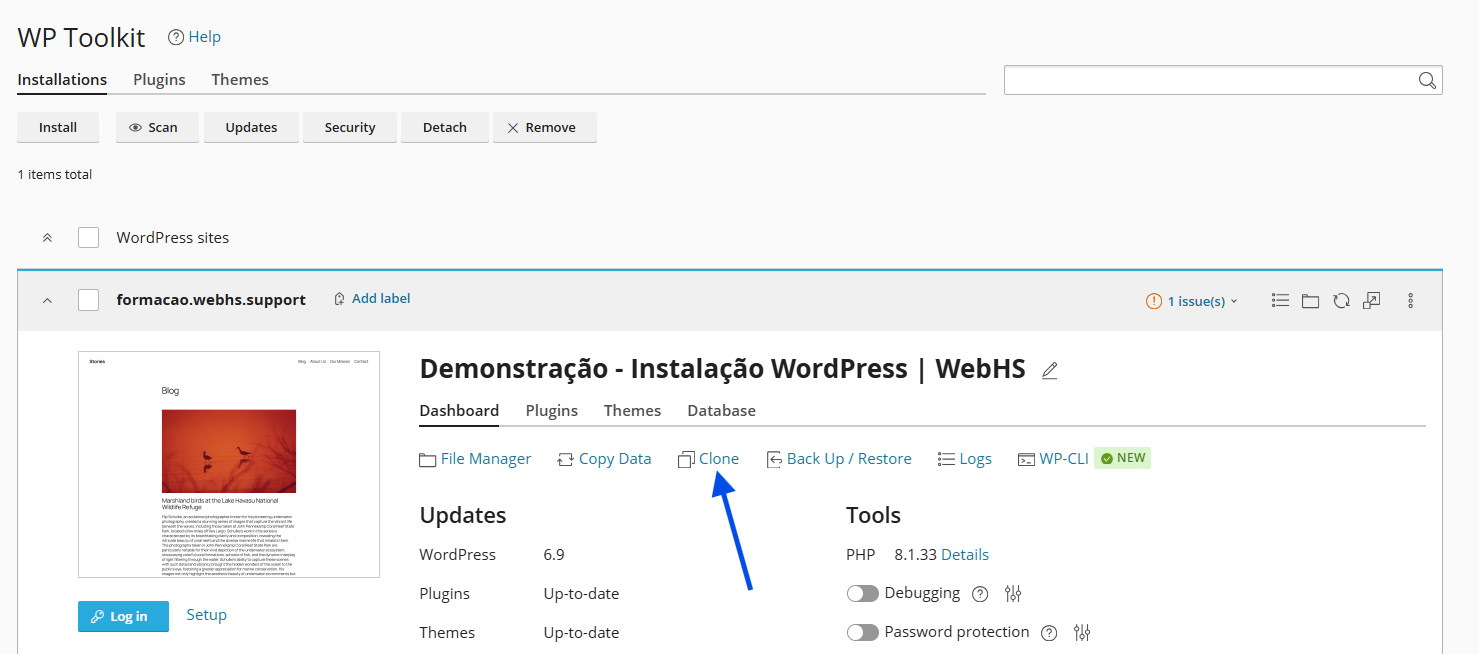
4. Click Clone
5. Select the destination domain or subdomain
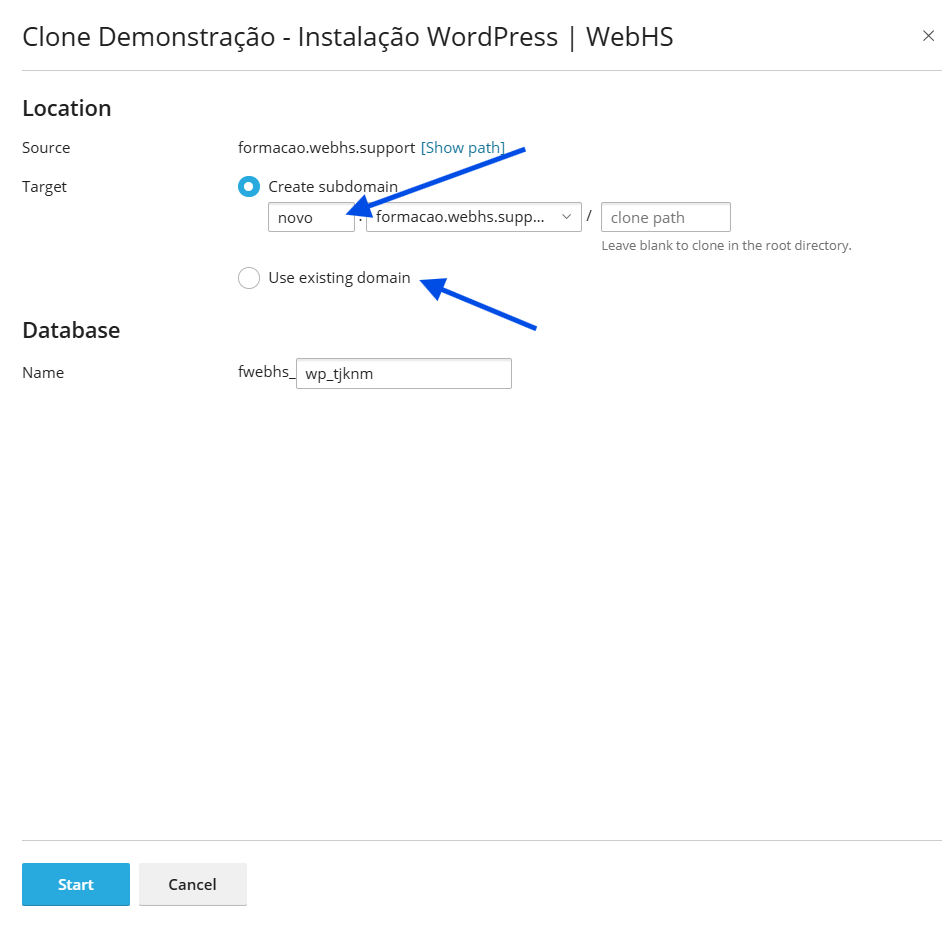
6. Click Start
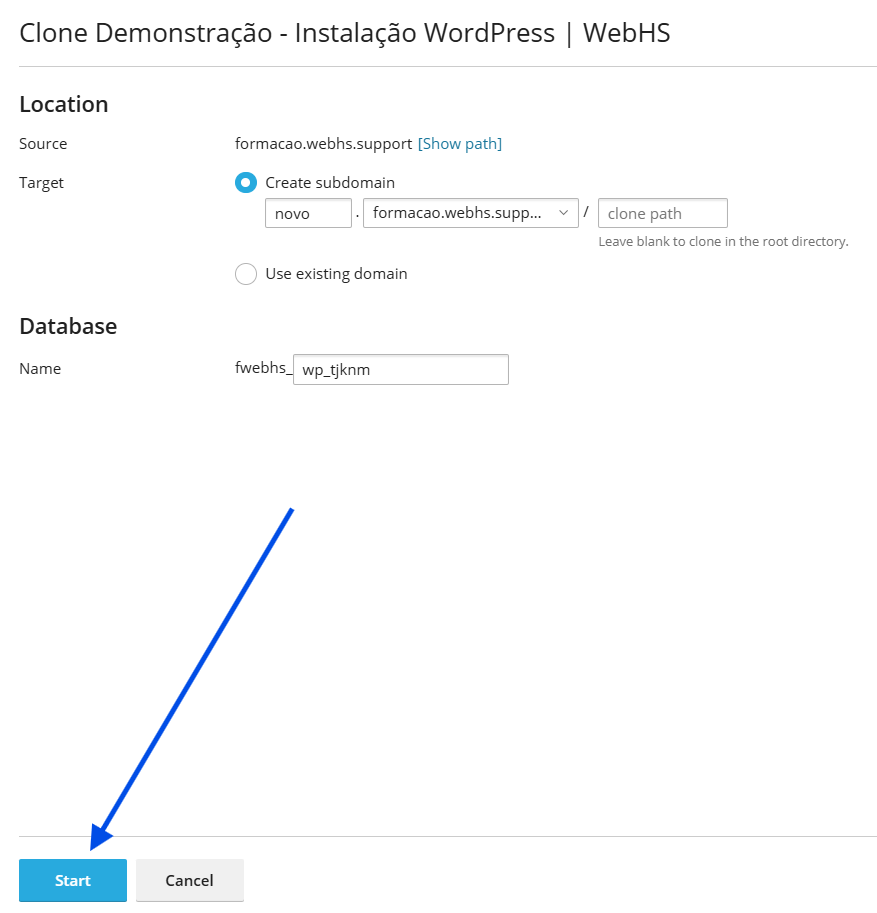
 The process may take a few minutes.
After the process is complete:
- The new website will be available at the selected address
- The original website remains unchanged
 Important notes
- The destination domain or subdomain must already exist in cPanel
- The duplicated website uses the same login credentials as the original
- Ideal for testing changes before applying them to your live website