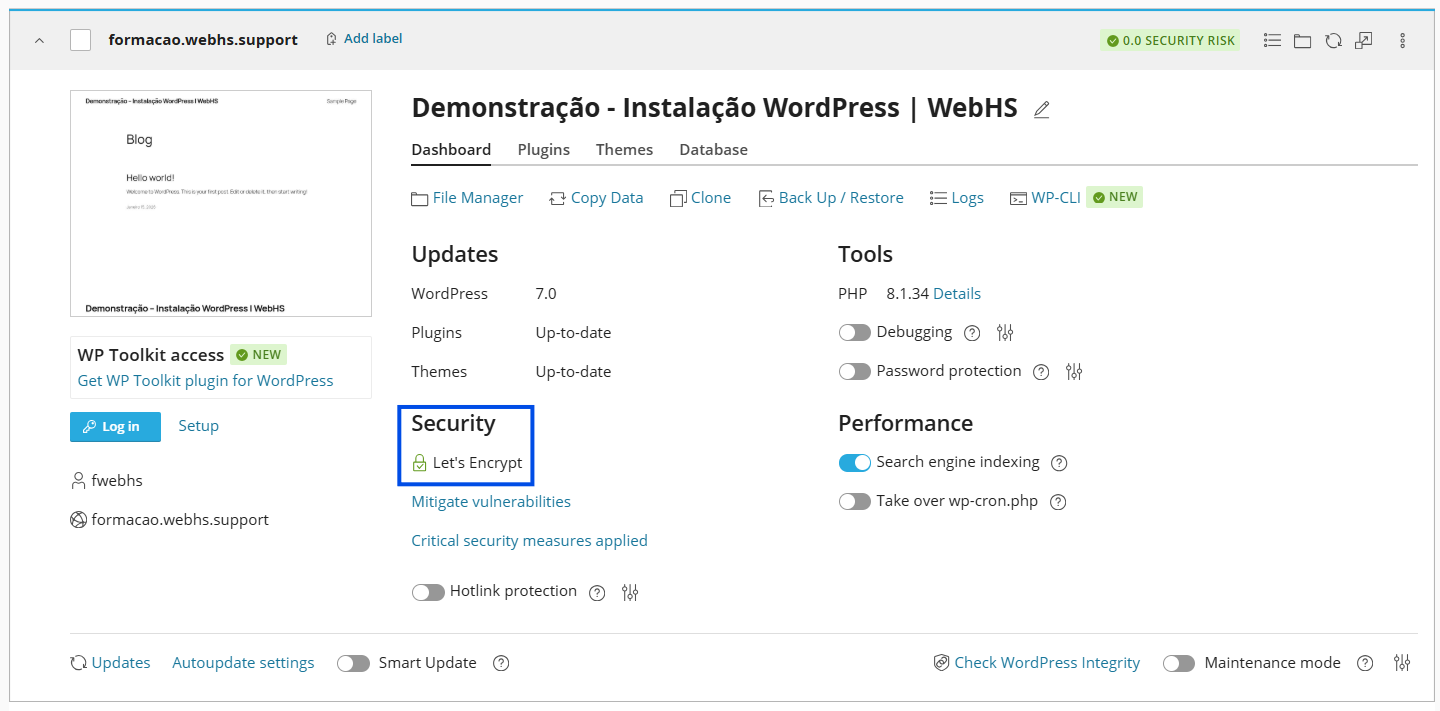
Please Note: This guide uses a free Let's Encrypt SSL certificate, which is automatically included with your hosting plan to ensure your website is fully secure and encrypted.
Step 1 – Check Your SSL Status
1. Log in to your cPanel account
(e.g.: yourdomain.com/cpanel or cpanel.yourdomain.com)
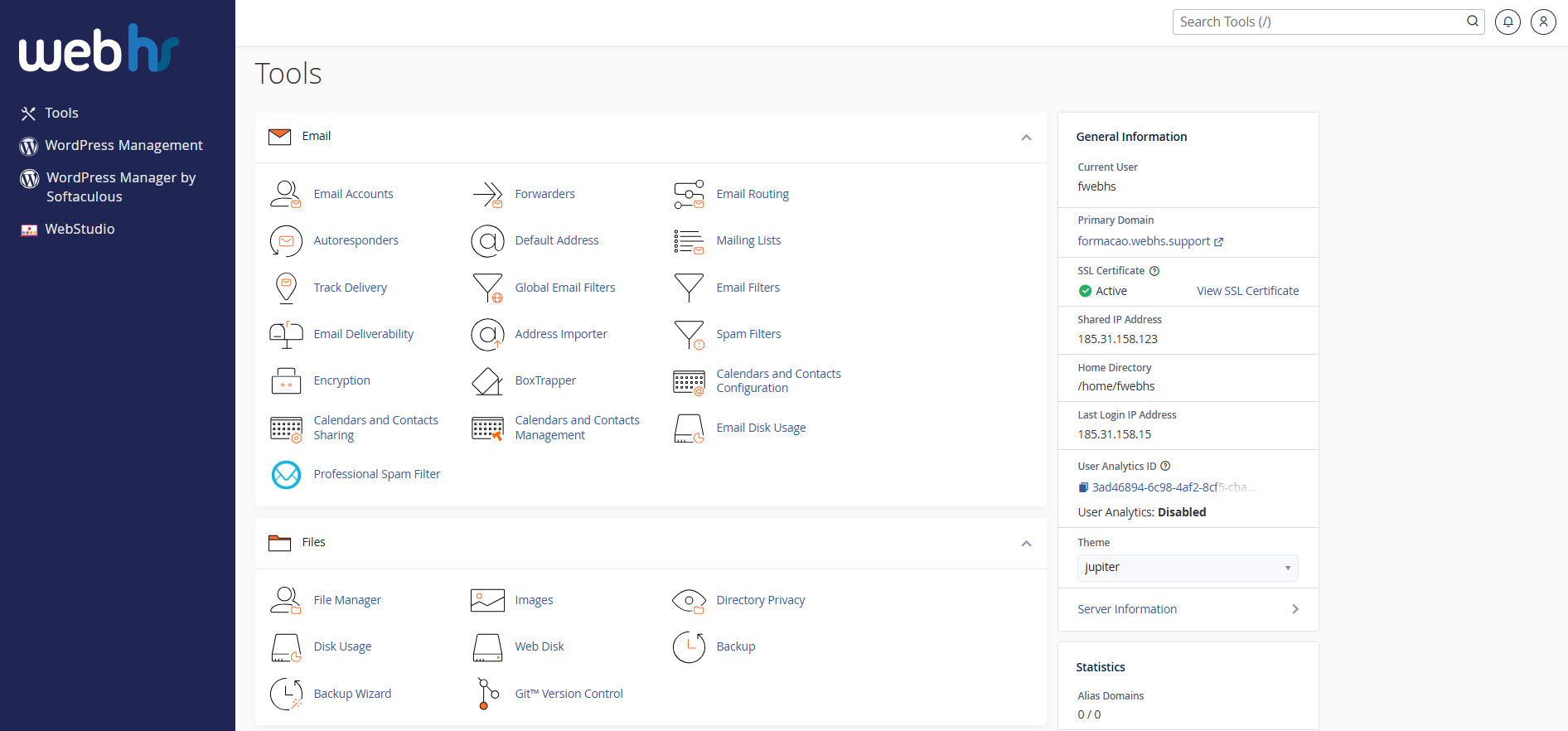
cPanel overview
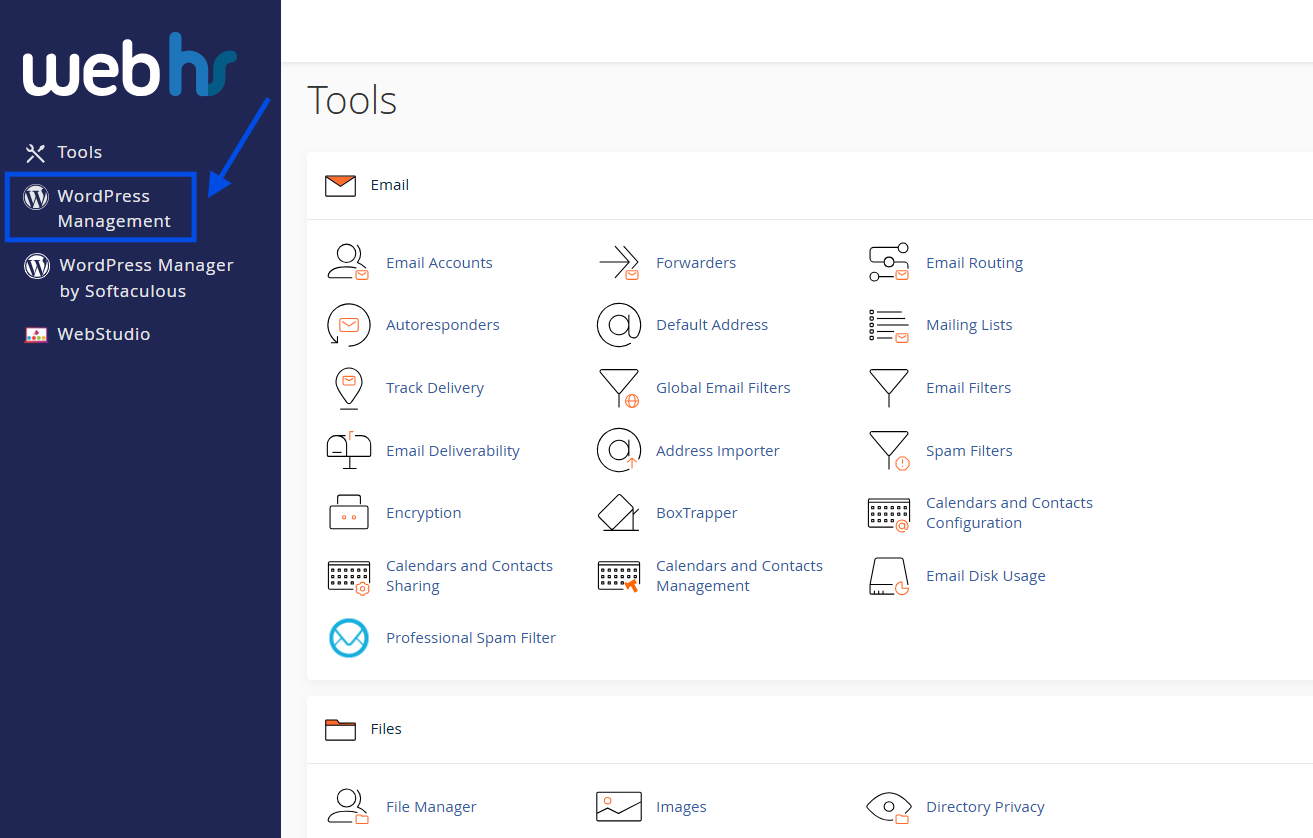
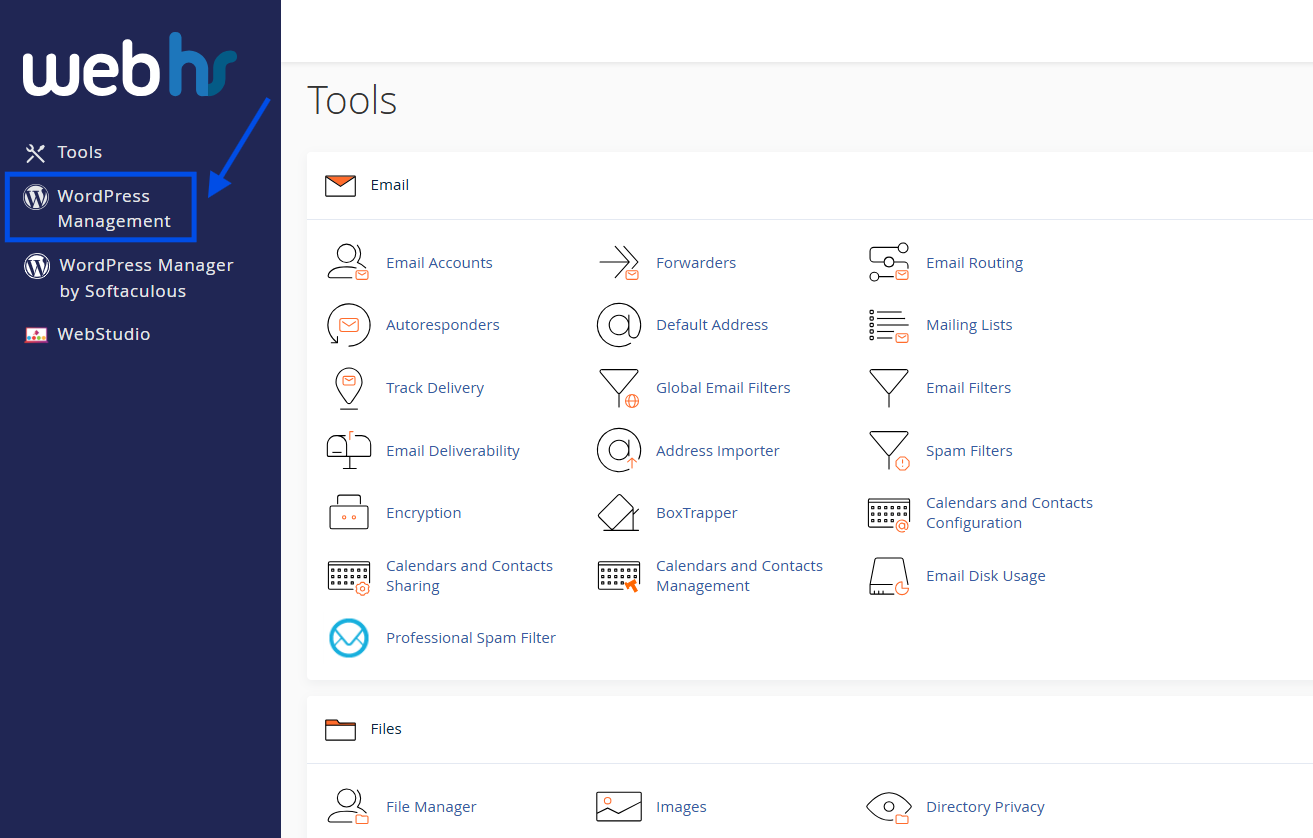
2. From the main dashboard, click WordPress Management
3. Click Scan

4. Once your website appears, click the refresh icon.
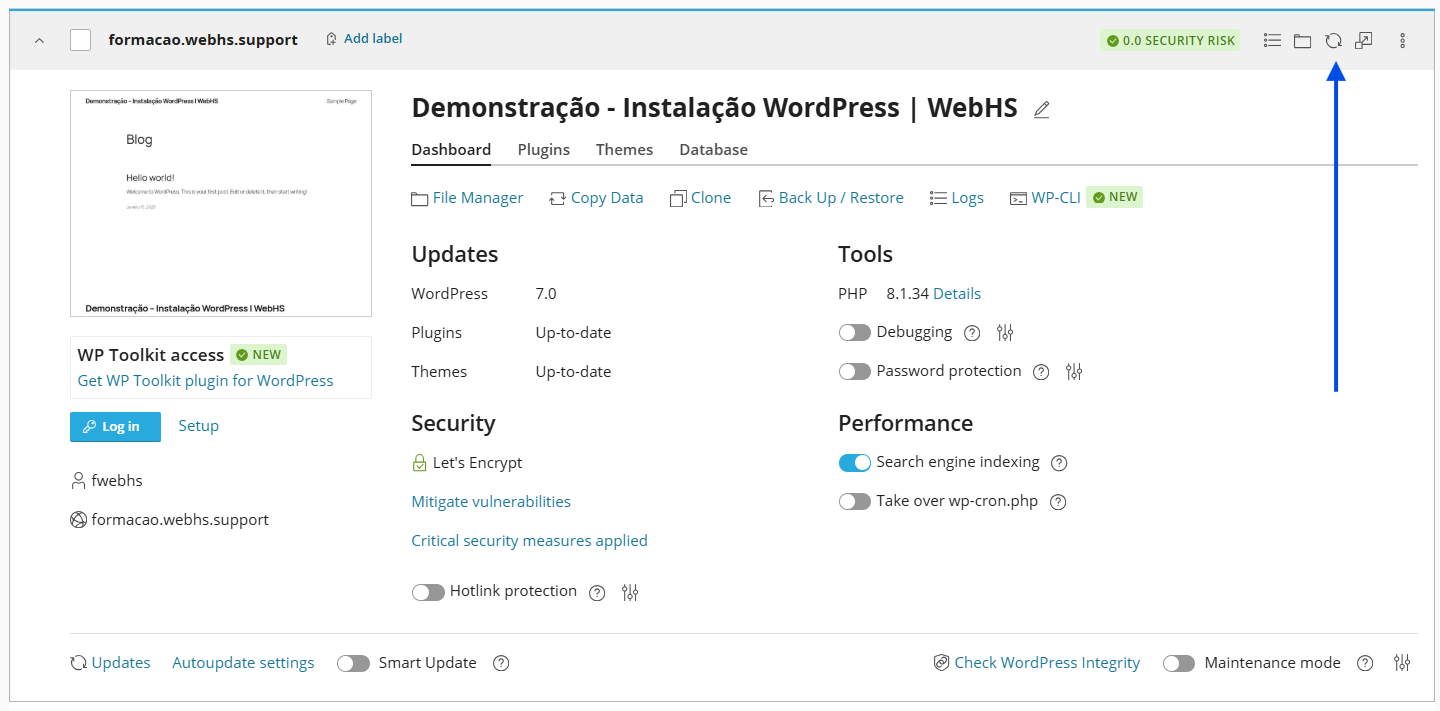
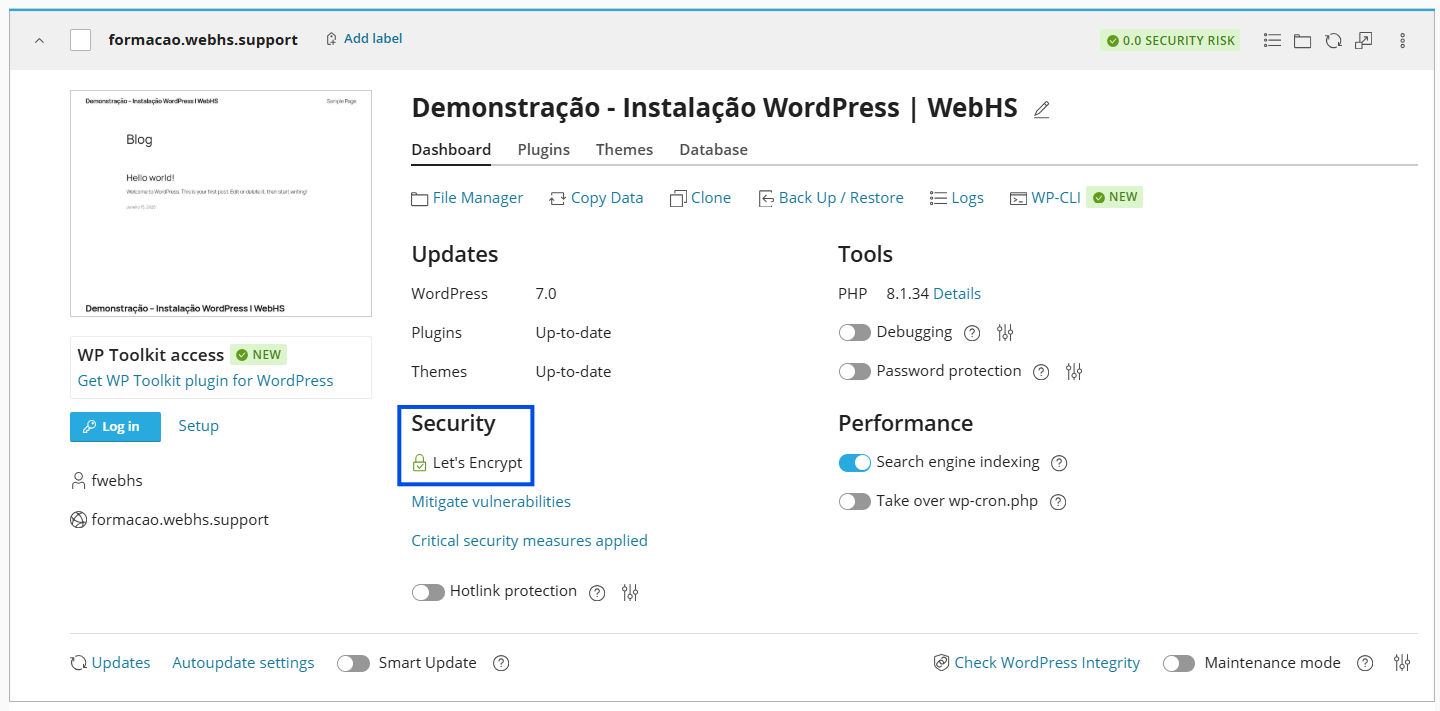
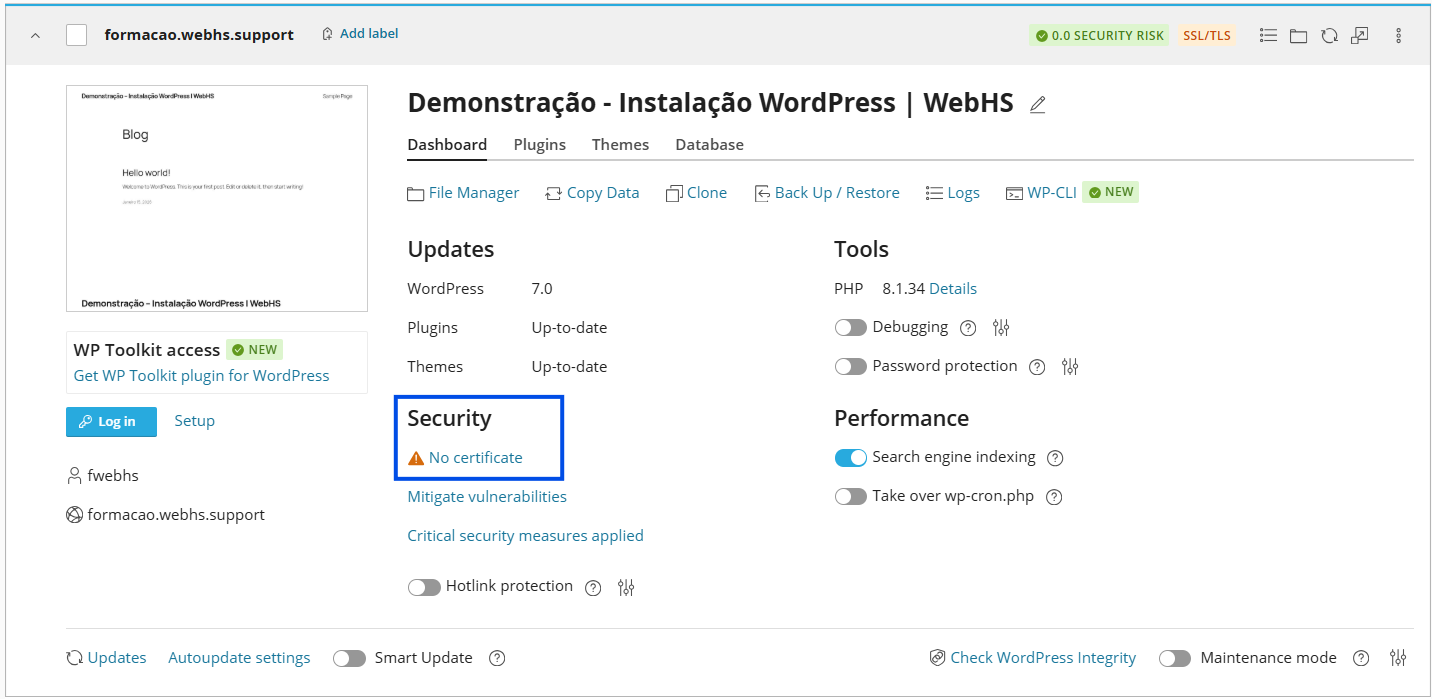
5. Check your SSL/TLS status:
Warning: SSL is not active.
Green Padlock: SSL is already active.
Step 2 – Enable SSL
1. Click on No Certificate
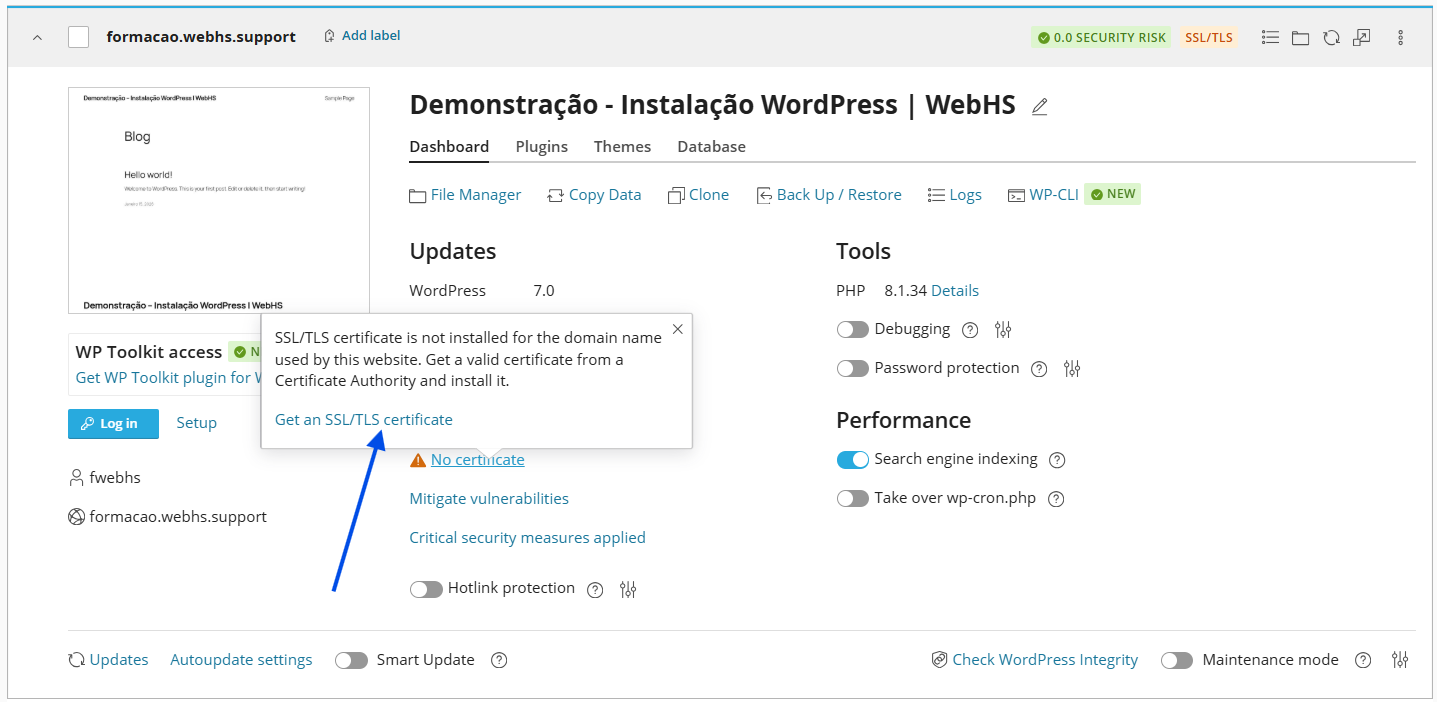
2. Select your domain
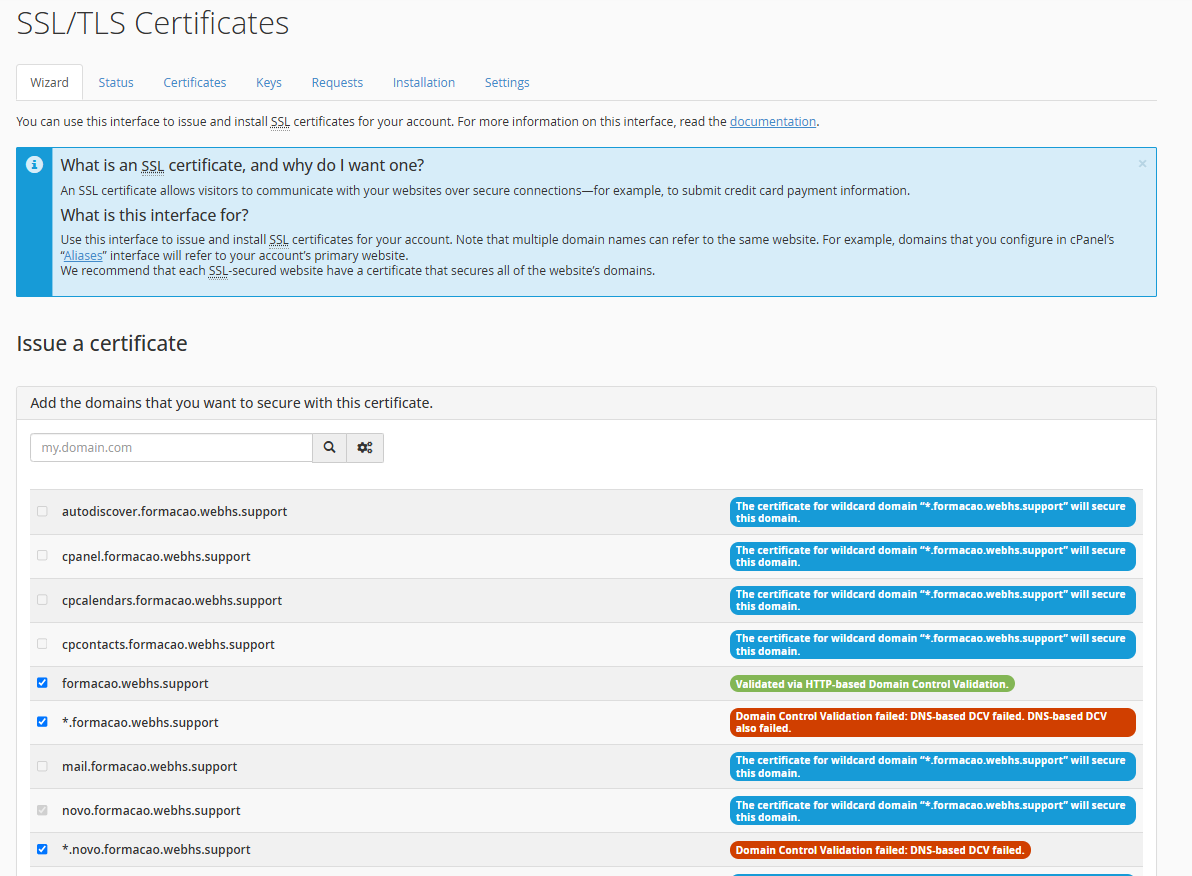
 This process will take a few seconds.
Step 3 – Force HTTPS Redirect
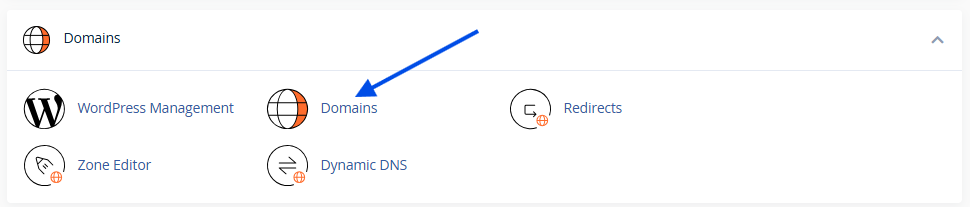
1. In cPanel, go to Domains.
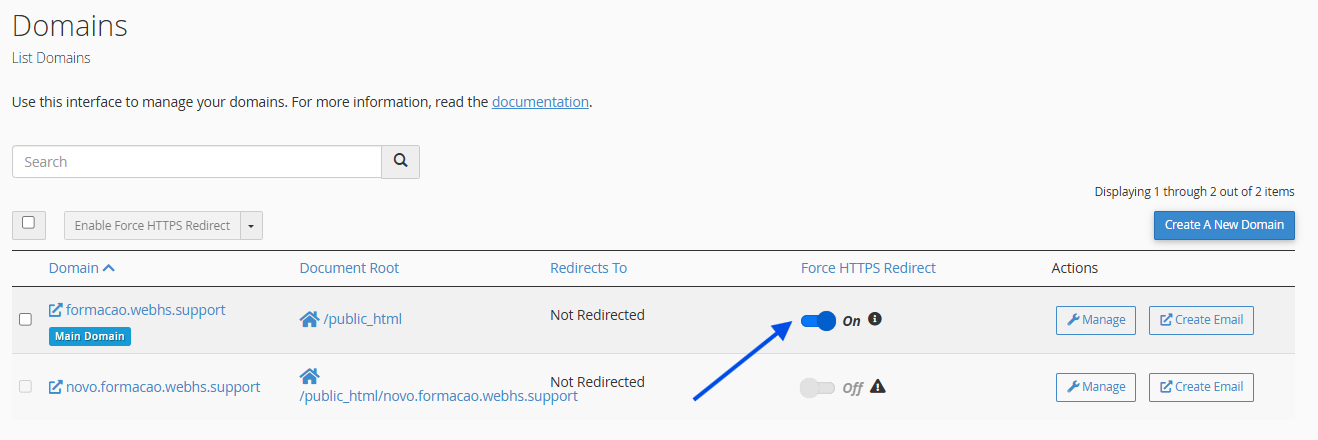
2. Turn on the Force HTTPS Redirect option.
Step 4 – Verification
1. Go back to WordPress Management
2. Click the refresh icon
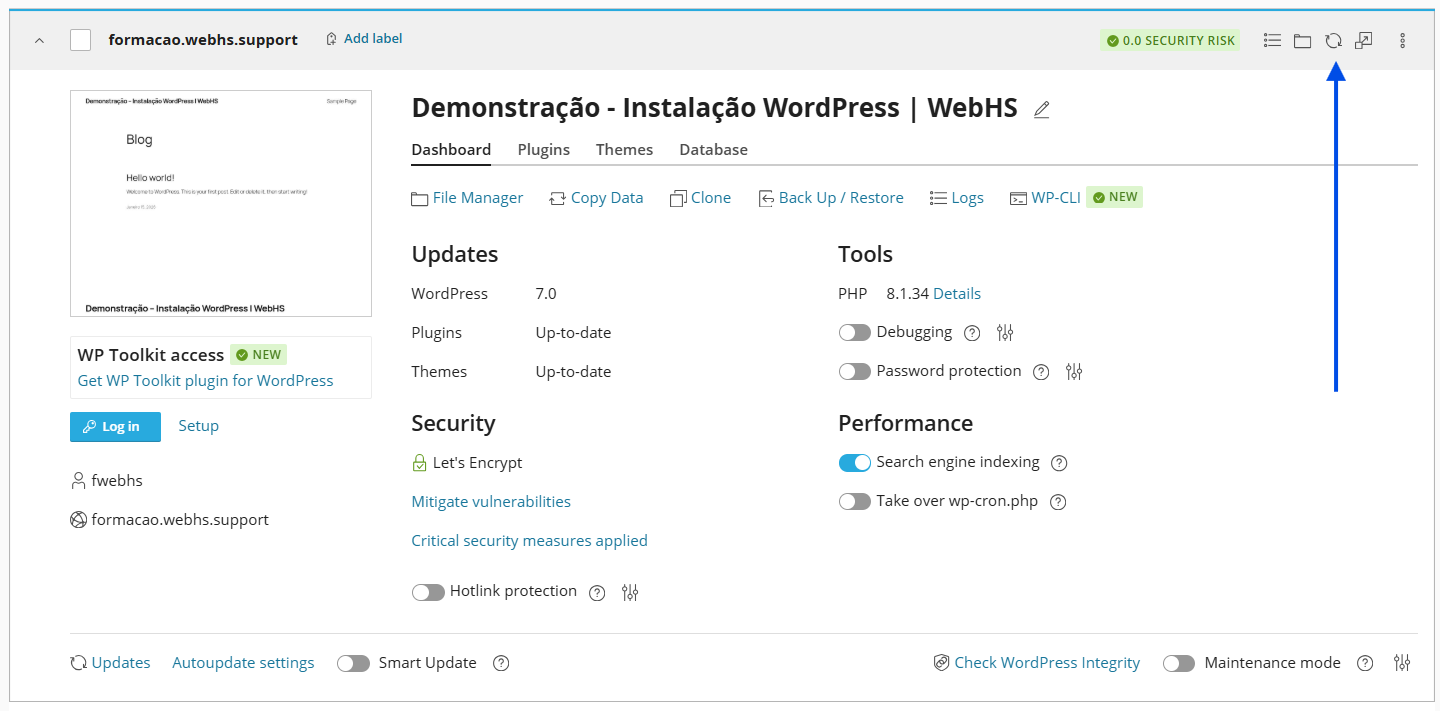
If you see a green padlock, your website is secure!