
If your email account status is showing as "Restricted" in cPanel, it usually means you have reached your sending limits or our support team/system detected suspicious activity.
Example:

To check if the restriction was applied manually by our team, please review your support tickets in your Client Area at: gestao.webhs.pt
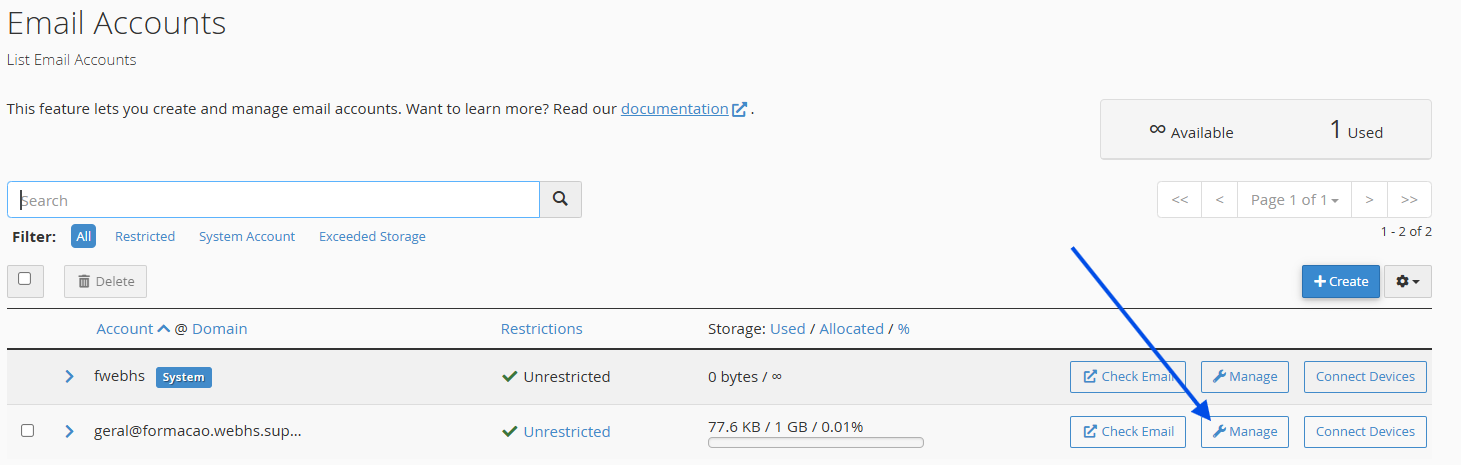
If there are no alerts or open tickets from our technical team, please follow the steps below:
How to Remove the Restriction in cPanel
1. Log in to your cPanel account
(e.g.: yourdomain.com/cpanel or cpanel.yourdomain.com)
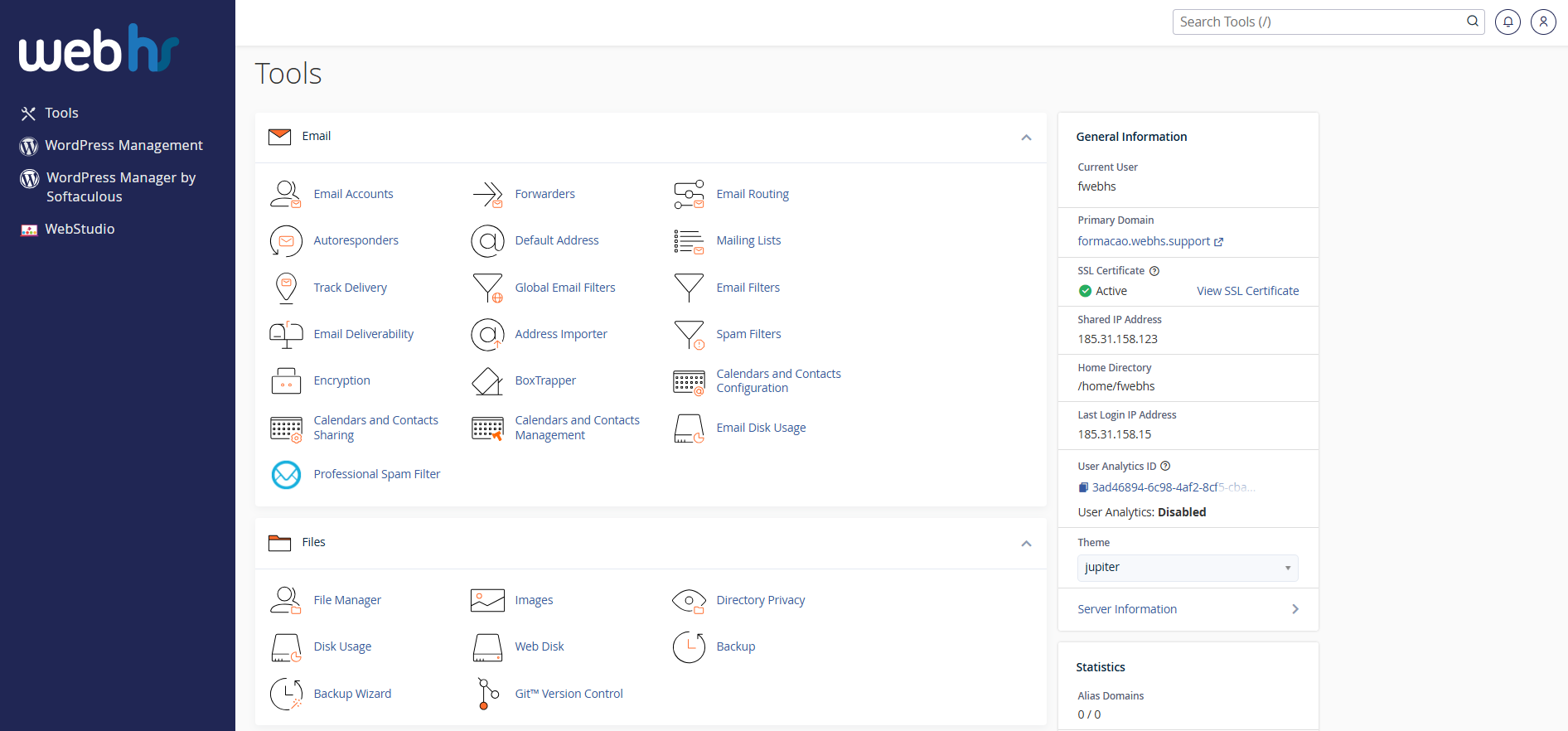
cPanel overview
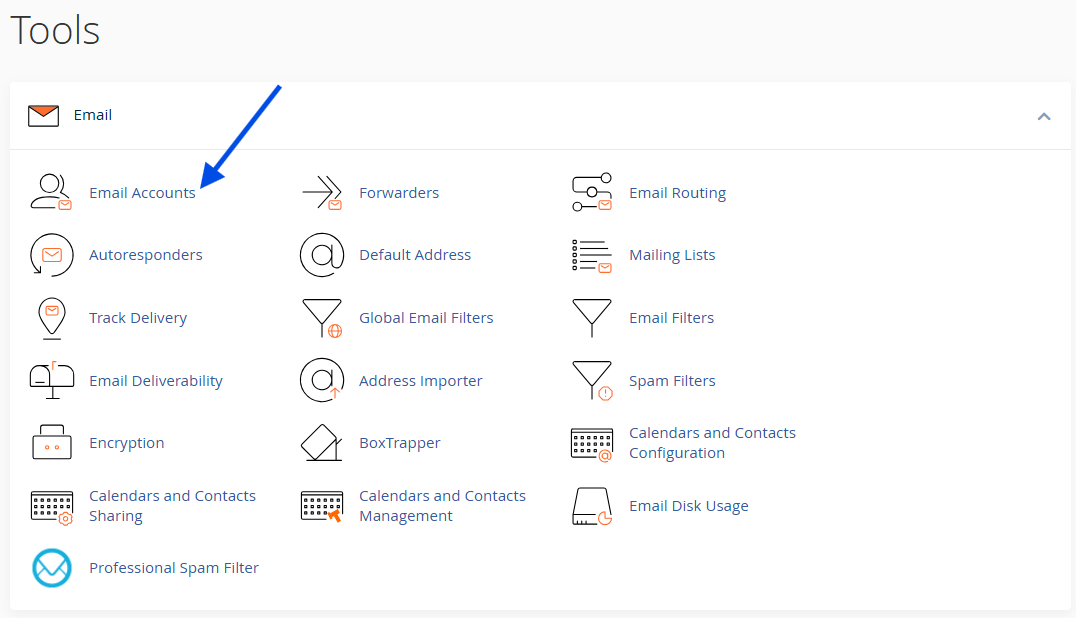
2. Click on Email Accounts
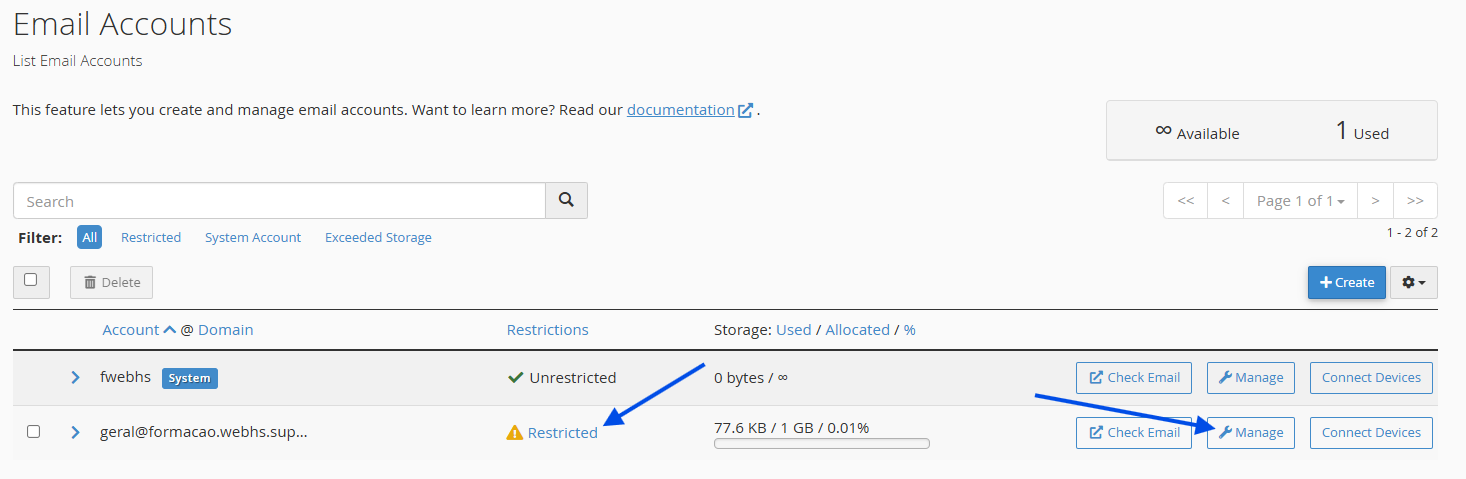
3. Locate the affected email account. You will see the "Restricted" status next to it. Click Manage to open the account settings.
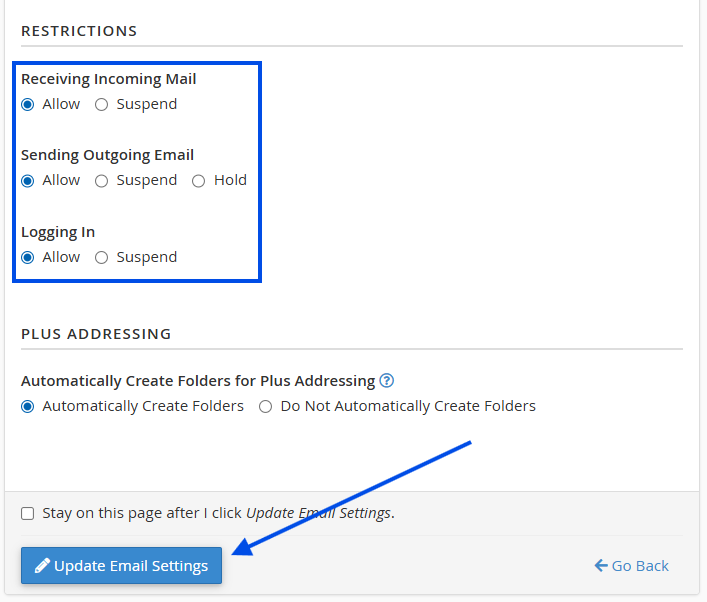
4. Change any options currently set to "Suspend" and/or "On Hold" back to "Allow".
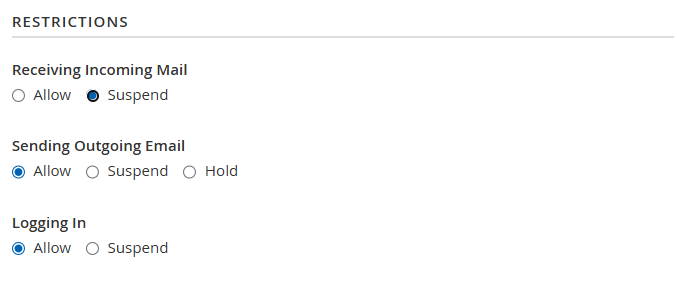
Example of a restricted account
5. Click Update Email Settings
 Pro Tip: Change Your Account Password
If you suspect unauthorized access to your account, take these extra steps:
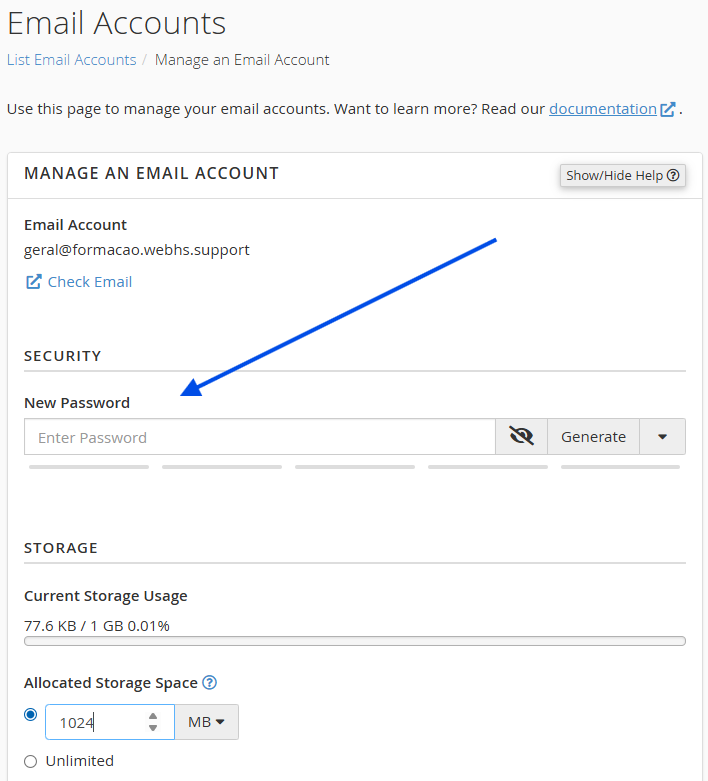
1. Click Manage next to the email account.
2. Set a new password. Make sure to use:
- Uppercase and lowercase letters
- Numbers
- Symbols
 Avoid reusing old passwords.
 Next, make sure to check for:
Misconfigured email clients or apps.
Smartphones still using old passwords.
Website scripts or plugins sending excessive emails.
Remember to update your new password across all your devices.

Important notes
Avoid mass emailing: Do not send large volumes of emails in a short period. For newsletters or marketing campaigns, we highly recommend using a dedicated email marketing service.
Device Security: Keep your computer and smartphone protected with up-to-date antivirus and anti-malware software.
Monitor activity: Regularly check your "Sent" folder for any unauthorized or suspicious emails.
Secure website forms: If your website has contact forms, ensure they cannot be exploited for spam by implementing a CAPTCHA tool, such as Google reCAPTCHA.

Need extra help?
Please reach out to our support team if:
The account remains "Restricted" after following the steps above.
You still cannot send emails after changing your password.
You notice unauthorized email activity that you don't recognize.
You can open a support ticket directly through your Client Area at gestao.webhs.pt.